
Projects
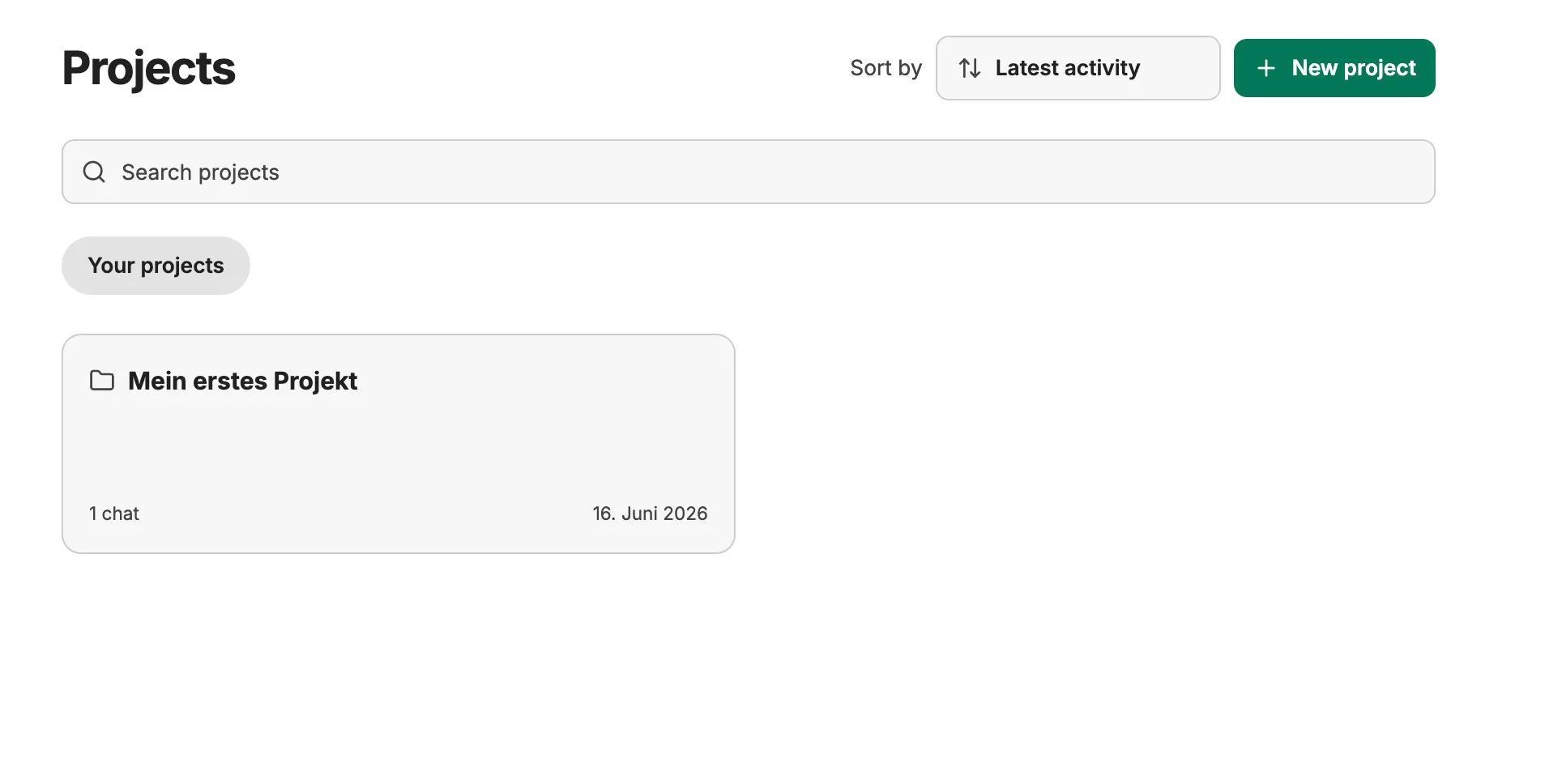
Projects let you organize related conversations into named workspaces. They are useful for long-running workstreams, teams, clients, or any topic where you want a focused set of chats without relying on search alone.
What Projects Do
Section titled “What Projects Do”- Group conversations under a project
- Start a new chat directly inside a project
- Assign an existing conversation to a project or remove it again
- Browse project chats from the project workspace
- Search and sort the project list
- Rename or delete projects from the sidebar
Projects are personal and only visible to the person who creates them. Other users do not see your project list.
Create a Project
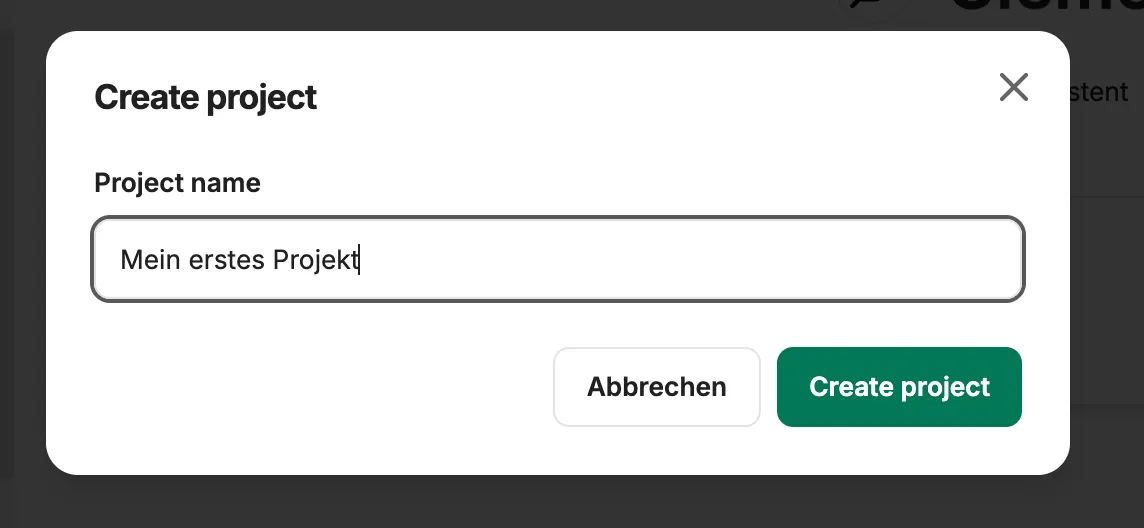
Section titled “Create a Project”Open Projects in the sidebar and choose New project. Give the project a name, then CompanyGPT opens the project workspace.
From within a project workspace, use New chat in project to start a conversation that is automatically assigned to that project.
Assign Existing Chats
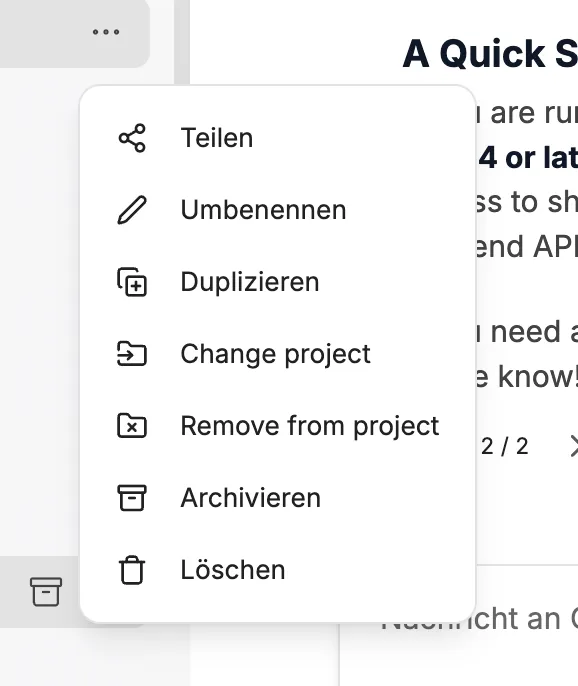
Section titled “Assign Existing Chats”Open a conversation’s menu and choose the project option. Select a project to assign the chat, or choose Unassigned to remove it from a project.
When you open a project, CompanyGPT shows only the chats assigned to that project. You can still display the full conversation list through All projects.
Manage Projects
Section titled “Manage Projects”Each project appears in the sidebar. Use the project menu to:
- Open the project workspace
- Rename the project
- Delete the project
Deleting a project only removes the project assignment from its chats. The conversations themselves are not deleted.
- Project workspaces have their own chat list and sorting controls.
- Chats started from within a project keep that project assignment.
- If a project is deleted while you are viewing it, CompanyGPT returns you to the projects list.