
Library Sync
Library Sync connects CompanyGPT with Git repositories and pulls skills, agents and prompts from there into CompanyGPT. This lets you version the content library, review it as a team and move it between environments. For repositories you own, companyADMIN also writes changes back to Git.
You find it under Content → Library Sync. GitHub and self-hosted Git servers (GitLab, Gitea or plain Git) are supported.
Repositories
Section titled “Repositories”The list shows every connected repository:
| Column | Content |
|---|---|
| Repository | Repository and branch |
| Detected | Number of detected skills, agents and prompts |
| Last synced | When (relative), with which commit and by whom |
| Status | OK, Error or Never; plus Up to date, Update available or Update status unknown, and the number of errors if any |
Use Search repository to find a repository. Sync all syncs all repositories one after another. Clicking a row opens the detail page.
Adding a repository
Section titled “Adding a repository”Add repository opens a page with four steps: Clone → Select paths → Configure → Save & sync.
-
Clone: choose the Git server (GitHub or Self-hosted (GitLab, Gitea, plain git)) and enter the repository. For GitHub you can also paste a full URL; it is split into repository, branch and path automatically. Under Authentication you choose:
- PAT – a personal access token. Leave the field empty for public repositories.
- SSH deploy key – companyADMIN generates a key pair (Generate SSH key). Add the Public key to the repository as a deploy key with write access (on GitHub: “Allow write access”).
For a self-hosted server, also enter the HTTPS base URL (for PAT) or SSH host and SSH port (for SSH).
-
Select paths: pick the top-level folders to sync. Only these folders are downloaded, scanned and kept in sync. The selection cannot be changed later; to change it, remove the repository and connect it again.
-
Configure:
- Analyze with AI – only appears if an analysis model is set up for your environment. A language model (Analysis model) suggests, based on the file tree, which folders contain skills, agents and prompts. The suggestion only pre-fills the structure; nothing is synced by it.
- Detected content – the number of detected skills, agents and prompts.
- Structure (sources) – one Kind and one Path per entry, for example
agentsorlibrary/agents. Use Add source to add further paths. - Visibility – the default visibility of imported content: Owner / system (default), Public (all users) or Specific groups. With Owner / system (default) no user sees the imported content until you choose Public or groups.
- We own this repo (allow write-back/up-sync) – allows companyADMIN to write changes from CompanyGPT back into the repository. With a PAT the token needs write access (on GitHub the
reposcope); with SSH the deploy key writes back.
-
Save & sync: the Save button creates the connection. Nothing is synced yet; the repository shows Never afterwards. You start the first sync with a preview on the detail page with Sync.
Syncing
Section titled “Syncing”Sync on the detail page first shows a preview (Review & apply changes): what will be created, updated, deleted or stay unchanged. Nothing is written until Confirm & apply. Afterwards the Sync result shows what actually happened, and Notes list what was skipped, such as tools your environment blocks, unreachable MCP servers or skill names that cannot be resolved.
Older prompt versions and shares that people made in CompanyGPT are kept on sync. An agent’s avatar, conversation starters and uploaded files are only kept if the YAML file in the repository does not set the field itself. Exported agents (see Export existing content) have these fields in their YAML file.
Skill folders
Section titled “Skill folders”For skills, Library Sync searches the given path at any depth: every folder that contains a SKILL.md becomes one skill. Other text files in the same folder (e.g. references/ or scripts/) are imported with the skill; binary files are skipped. The name in SKILL.md identifies the skill – if a name occurs twice, only the first one is imported.
Adding the ready-made skills from innFactory
Section titled “Adding the ready-made skills from innFactory”The ready-made skills live in the public repository innFactory-AI/company-ai-stack-skills and can be connected directly – no token needed:
| Field | Value |
|---|---|
| Repository | innFactory-AI/company-ai-stack-skills, branch main |
| Structure (sources) | type skill, path de/skills (German skills) or en/skills (English skills) |
| We own this repo | off |
Connect only one language: the German and English versions use the same skill name. You can also paste https://github.com/innFactory-AI/company-ai-stack-skills/tree/main/en/skills as the repository; branch and path are filled in for you. Sync fetches new and changed skills; there is no automatic schedule.
Reviewing changes
Section titled “Reviewing changes”A repository’s detail page
Section titled “A repository’s detail page”The detail page has the tabs Overview, Content, Runs, Exclude and Settings, plus a danger zone.
Overview
Section titled “Overview”Status, Source, Branch, Selection (the loaded folders), Last run, whether there is a New version in the repository, and the amount of Content. Errors of the last run are shown right on the page; versions already in CompanyGPT stay unchanged.
Content
Section titled “Content”Every entry of the repository with Name, Type, Path and Status:
| Status | Meaning |
|---|---|
| Synced | Same as the repository |
| Changed in companyGPT | Edited in CompanyGPT since the last sync |
| Conflict | Changed both in CompanyGPT and in the repository. With We own this repo, write-back skips such entries, see Compare with git |
| Error | Could not be applied |
| Excluded | No longer synced |
| Deleted in companyGPT | Deleted in CompanyGPT, still present in the repository. The next sync creates the entry again, without its earlier shares and favourites. To remove it for good, use Exclude or remove it in the repository |
Below follows Orphaned (N): content marked with this repository that the sync no longer tracks. It is never deleted automatically.
Compare with git
Section titled “Compare with git”Compare with git checks what differs between the repository and CompanyGPT and changes nothing. Detect changes (DB ↔ Git) summarizes the result:
- repo newer – changed in the repository; the next sync applies it
- changed in the app – changed in CompanyGPT
- in sync
- file(s) do not parse – files that cannot be read; the version in CompanyGPT is kept
For repositories with We own this repo you write agents and skills changed in CompanyGPT to Git with Write back (up-sync): companyADMIN first shows a preview of the files, and Commit & push writes them. companyADMIN creates a commit with a descriptive message and lists the files written. If the branch in the repository has new commits in the meantime, sync first and then try again. companyADMIN does not write prompts back.
Write-back skips entries with Conflict; left alone, they stay in that state. To resolve such an entry, tick Include conflicting units (overwrites the git-side change) before Write back (up-sync). The change in the repository is then replaced by the version from CompanyGPT.
Export existing content
Section titled “Export existing content”For repositories with We own this repo, Export existing content writes agents and skills that were created in CompanyGPT and never synced with any repository into the repository for the first time. Pick single entries or Select all, check the files with Preview and write them with Commit & push.
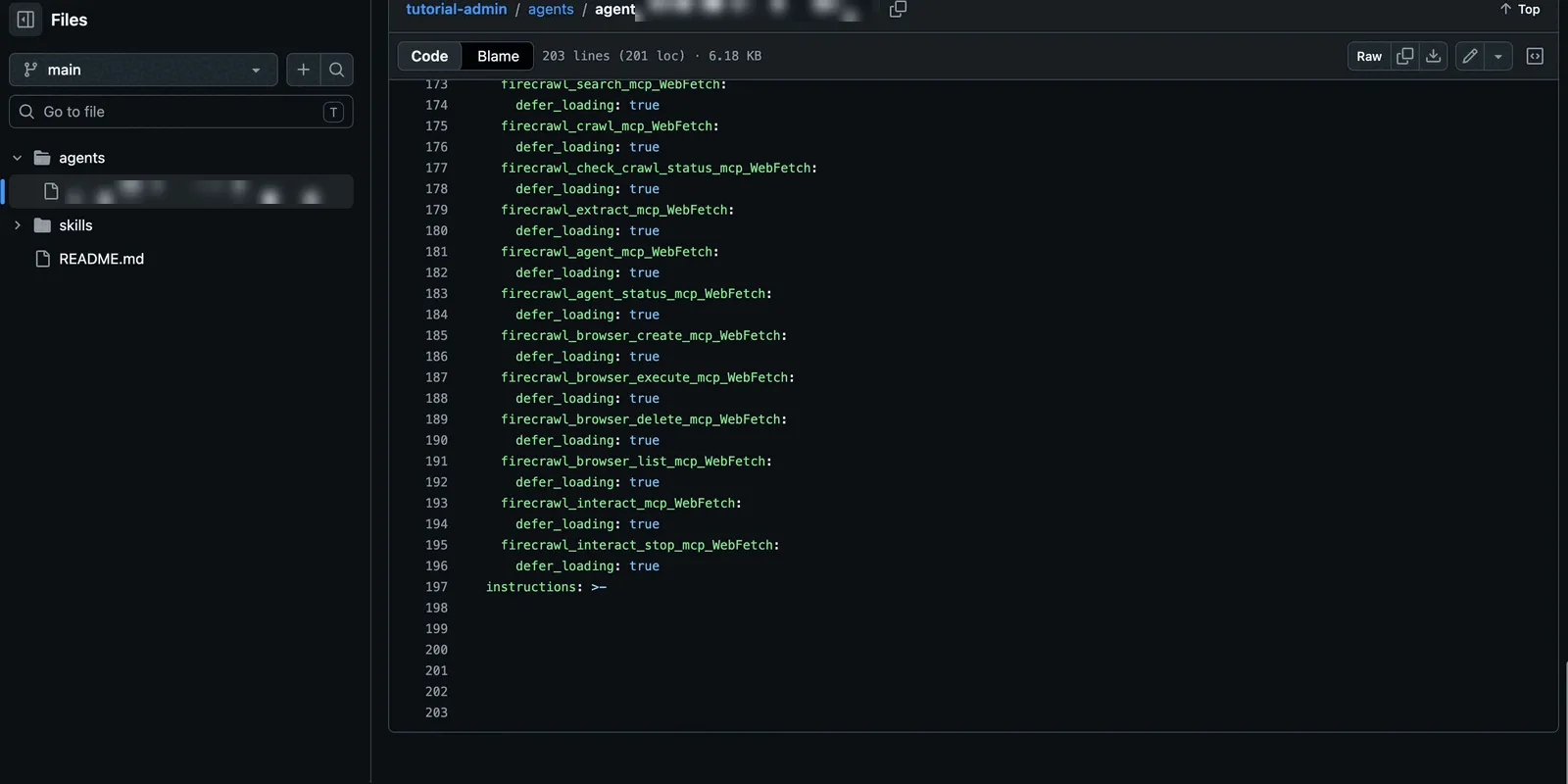
In the repository each agent then lives as one YAML file, including its instructions, tools and settings, in the configured folders.
Every sync with Started, Result, Changes, By and Commit, including aborted ones. A run shows the result per entry.
Exclude
Section titled “Exclude”Here you take single entries out of the sync without changing the repository:
- Select the entries.
- Decide what happens in CompanyGPT: Keep in companyGPT (release as normal content) or Delete from companyGPT on the next sync.
- Check the Preview and click Save exclusions. They take effect with the next sync.
Include again takes an entry back into the sync. If a sync has already run since the exclusion, this is not a simple undo:
- After Keep in companyGPT (release as normal content), the next sync takes the entry over again and overwrites changes from CompanyGPT without first showing them as Edited in companyGPT.
- After Delete from companyGPT on the next sync, the next sync creates a new entry.
Settings
Section titled “Settings”You change the branch, token, sources, visibility and We own this repo here. The repository itself and the folder selection from Select paths cannot be changed; remove the repository and connect it again instead. Changes to sources and visibility only take effect with the next sync; after saving, companyADMIN offers to sync right away.
Removing a repository
Section titled “Removing a repository”Remove repository … in the danger zone first shows what happens to each entry in CompanyGPT:
- Keep – all entries stay in CompanyGPT as normal, freely editable content. They then count as created manually; only superadmins may change their visibility afterwards.
- Delete the content – the selected entries are deleted. Entries changed in CompanyGPT, shared, or used by other agents are not preselected; agents that people marked as a favourite are. Entries that are not deleted stay, marked as orphaned.
To confirm, type the repository’s name. If a sync is running, removal is possible once it has finished.
Interplay with visibility
Section titled “Interplay with visibility”Synced content carries the badge synced under Content and visibility, and additionally modified in LibreChat after a change in CompanyGPT. The visibility comes from the repo default. If you change it on a single entry, companyADMIN manages that entry individually until you reset it to the repo default.