
Integrations
Integrations are the connections to the third-party systems from which companyRAG can retrieve documents. An integration is connected once and can then be used by any number of sources.
Through all integrations, companyRAG only reads content. It writes nothing back to the connected systems – except for OKF bundles in GitHub or SharePoint.
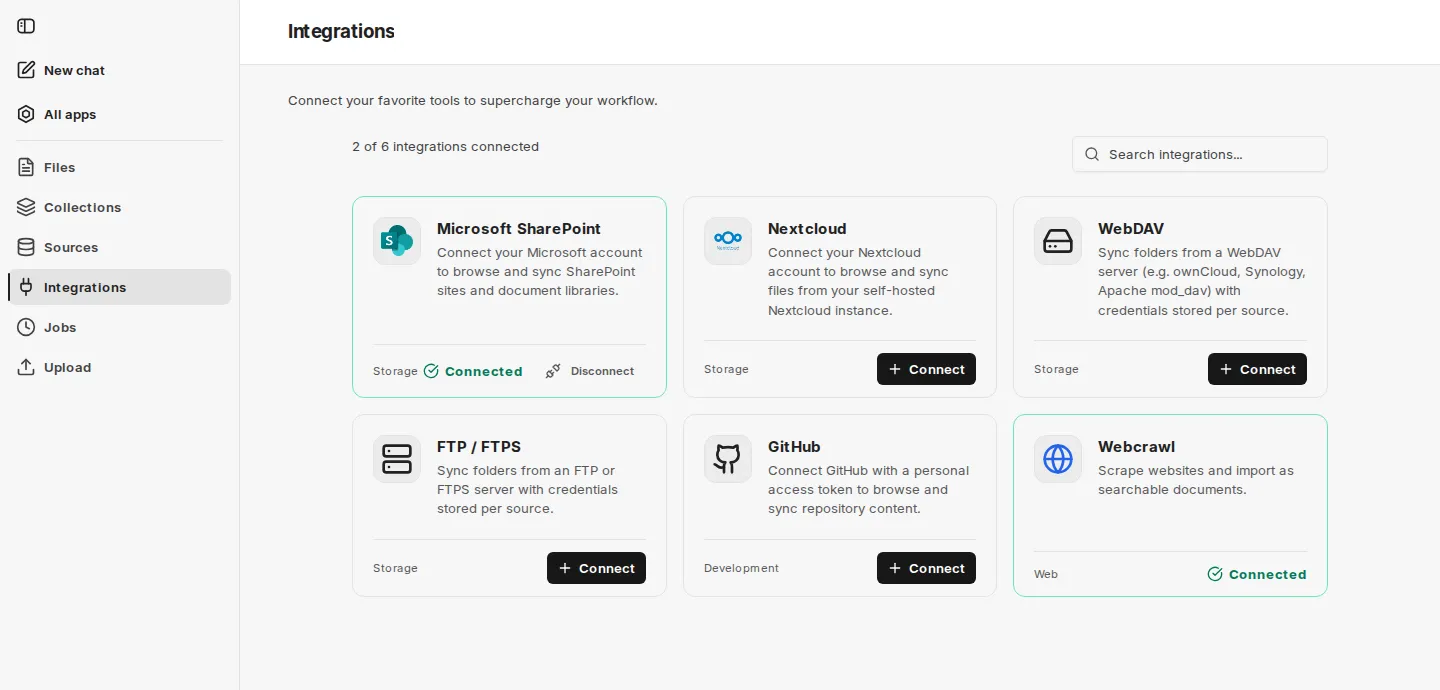
For each integration, the overview shows its name, its category (Storage, Development, Web) and its connection status, and at the top how many integrations are connected. Connect establishes a connection, Disconnect removes it again.
Available integrations
Section titled “Available integrations”| Integration | Purpose | Authentication |
|---|---|---|
| Microsoft SharePoint | Browse and synchronize SharePoint sites and document libraries | Sign in with the Microsoft account |
| Nextcloud | Synchronize files from a self-hosted Nextcloud instance | Username and app password; the Nextcloud address is preset for your environment |
| Google Drive | Synchronize files from “My Drive”, shared drives and files shared with you | Sign in with the Google account |
| WebDAV | Synchronize folders of a WebDAV server, e.g. ownCloud, Synology or Apache mod_dav | Credentials per source |
| FTP / FTPS | Synchronize folders of an FTP or FTPS server | Credentials per source |
| GitHub | Browse and synchronize repository content | Personal access token (fine-grained) with read access |
| Webcrawl | Scrape websites and import them as searchable documents | No sign-in required |
WebDAV and FTP / FTPS have no account-level connection: Connect directly opens the dialog for a new source, and the card counts as connected as soon as there is at least one source of that type. Webcrawl is provided by your environment; you do not need to connect it. GitHub may also already be connected by your environment; in that case the connection cannot be disconnected.
Integrations that are not set up in your environment are hidden by companyRAG.
Once an integration is connected, you create the specific folder, repository or sitemap to be synchronized under Sources. GitHub and SharePoint also serve as storage locations for OKF bundles.