
Voiceovers
companyTRANSCRIBE also works in the opposite direction: alongside audio-to-text, it generates audio from text. The area forms its own menu group in the sidebar: Voiceovers lists every generated audio file (“Every voiceover you have generated.”), and New voiceover opens the form for creating one – as does the button of the same name in the overview’s page header.
Each row of the overview shows the title, the description if there is one, creation time, audio length, voice, and owner. Clicking the row opens the voiceover; the bin deletes it permanently after a confirmation.
Creating a voiceover
Section titled “Creating a voiceover”The Create a voiceover form is headed “Turn text into audio with an AI voice.”
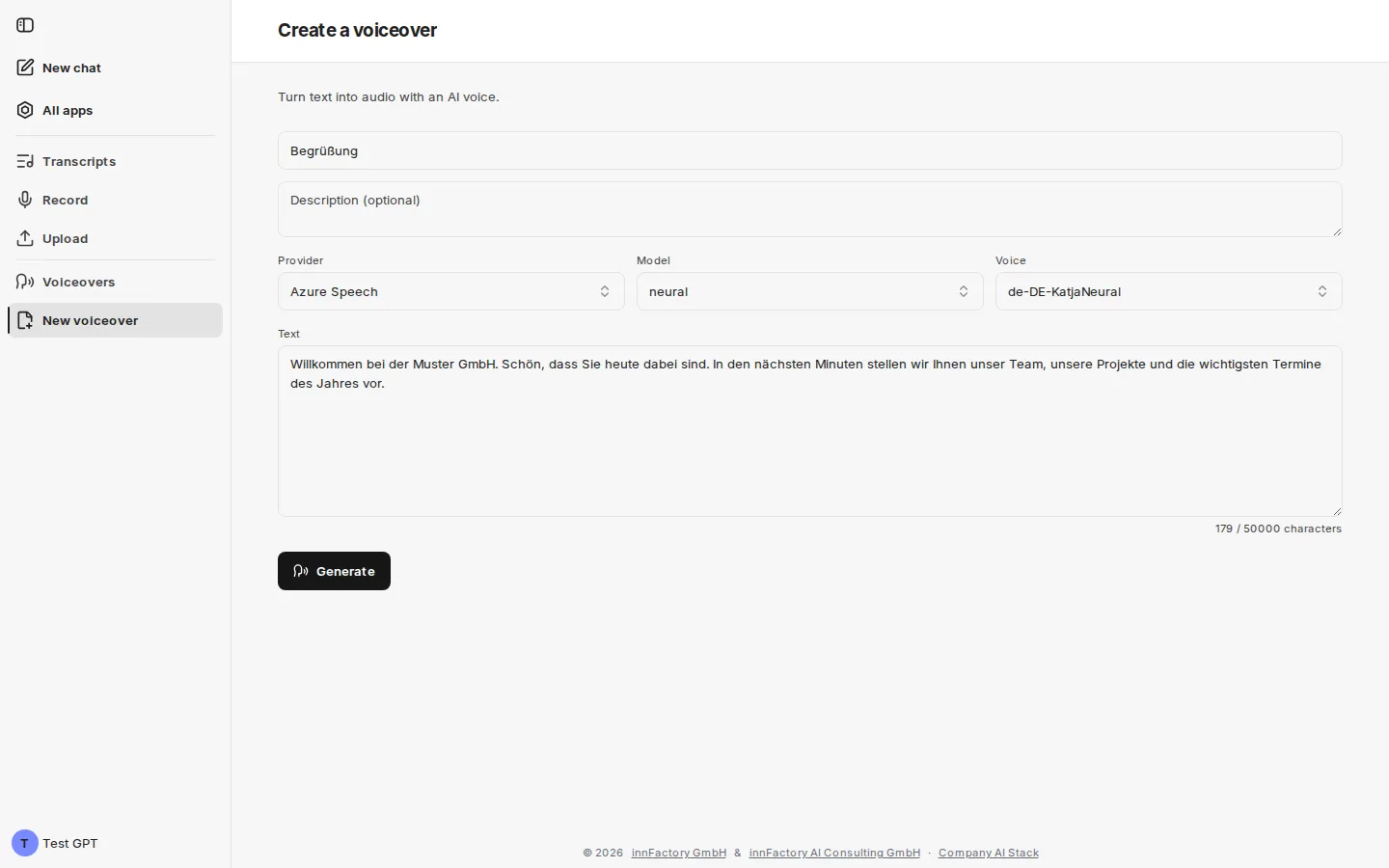
| Field | Meaning |
|---|---|
| Title (optional) | Name of the voiceover in the overview |
| Description (optional) | Free text for context |
| Provider | The service that generates the voice |
| Model | Voice model of the chosen provider |
| Voice | The specific voice of the chosen model |
| Text | The text to be read out |
The text field carries the placeholder “Enter the text to turn into speech…” and below it a character counter with the upper limit, by default 50,000 characters (your administrator can change this value). Clicking Generate starts generation and opens the new voiceover; the button stays inactive until text has been entered.
Providers, models, and voices
Section titled “Providers, models, and voices”Depending on the configuration, up to three providers are available, each with its own models and voice list. Your administrator decides which of them are visible in your environment. The text is sent to the selected provider for generation.
| Provider | Model | Example voice |
|---|---|---|
| Azure Speech | neural, hd | de-DE-KatjaNeural |
| Azure OpenAI | gpt-4o-mini-tts | alloy |
| Google (Chirp 3 HD) | chirp-3-hd | Charon, Algieba |
Azure Speech voices follow the pattern <language>-<region>-<name>…, so the voice’s language is readable from its name. Google Chirp 3 HD voices, by contrast, carry proper names with no language marker.
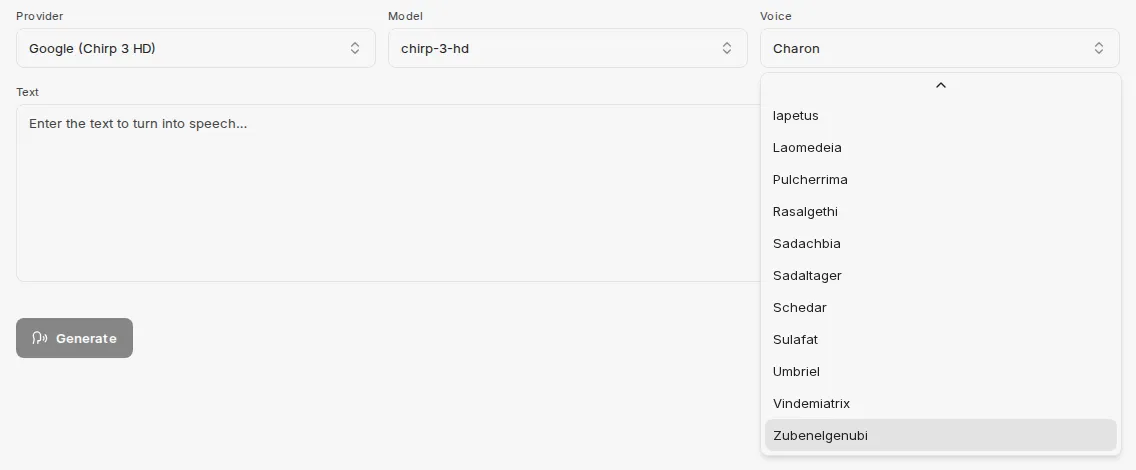
The list for Google Chirp 3 HD includes Iapetus, Laomedeia, Pulcherrima, Rasalgethi, Sadachbia, Sadaltager, Schedar, Sulafat, Umbriel, Vindemiatrix, and Zubenelgenubi, among others.
Reviewing and regenerating
Section titled “Reviewing and regenerating”The finished voiceover shows status, provider, model, voice, audio length, and the creation and completion times in its header.
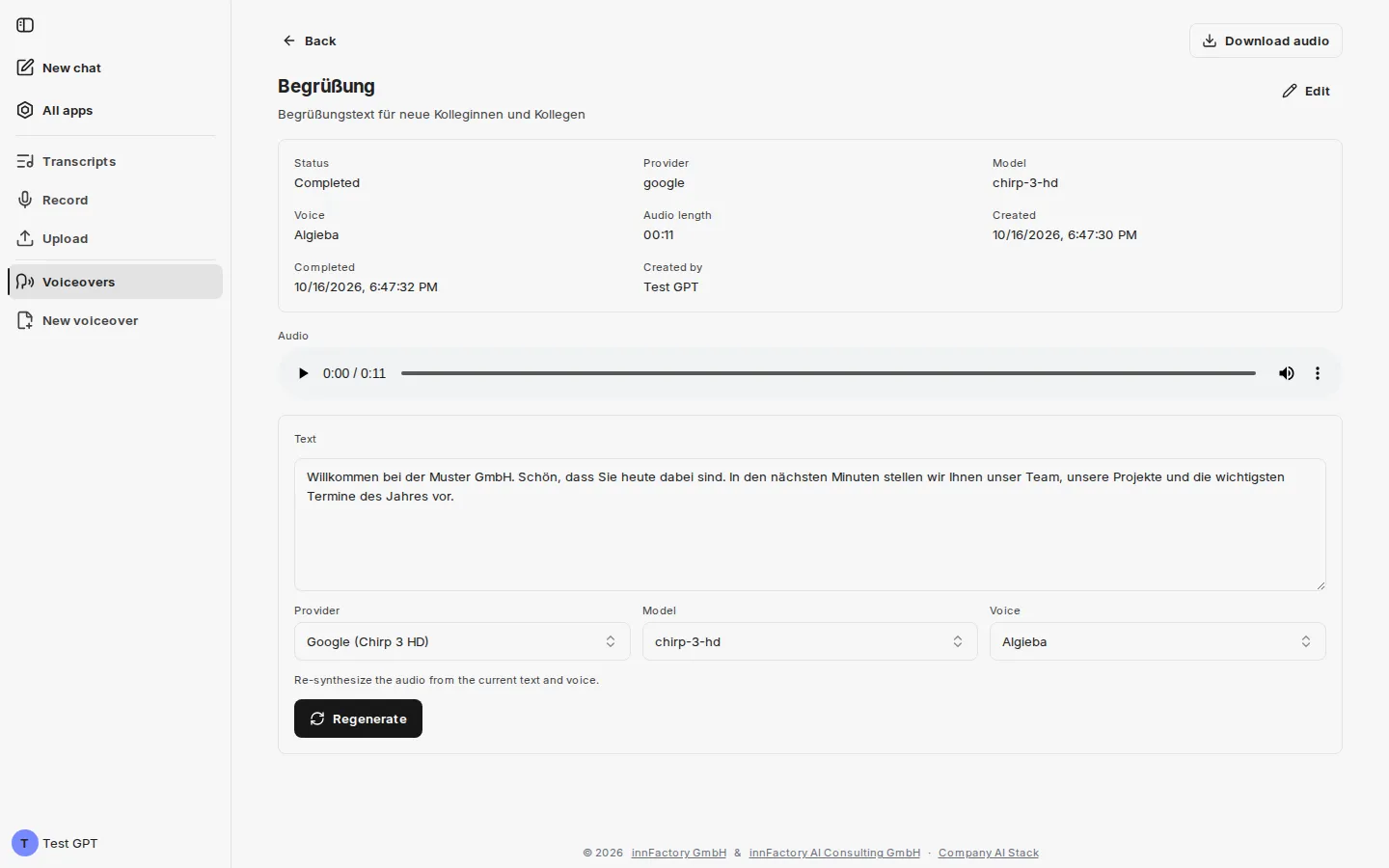
Below the audio player the text used remains editable, followed once more by the Provider, Model, and Voice selectors. The note “Re-synthesize the audio from the current text and voice.” describes what Regenerate does: change the text or the voice and produce a new version from it without having to create the voiceover again.
The result can be played directly from the audio player; Download audio in the top right saves it as an audio file.
What next?
Section titled “What next?”Voiceovers can also be produced without the interface: an agent in the CompanyGPT chat can create, retrieve, and regenerate them through the MCP server. See Access from CompanyGPT.