
Dataset collections
Dataset collections do not contain documents but tables. They are suited to anything that is already tabular – sales figures, orders, master data – and answer questions about sums, quantities and rankings that a semantic search cannot answer.
When creating the collection you choose the collection type Dataset and then the Dataset source:
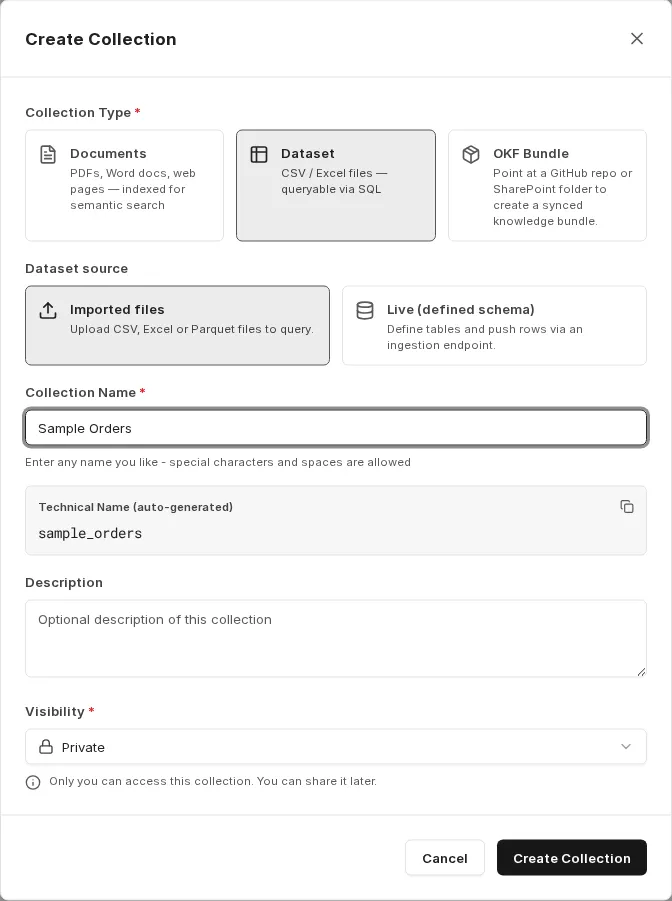
- Imported files: Upload CSV, Excel or Parquet files to query.
- Live (defined schema): Define tables and push rows via an ingestion endpoint.
Imported files
Section titled “Imported files”The data should always be in tabular form. Upload supports CSV and TSV files, Excel workbooks (.xlsx) and Parquet files; via a source, Excel workbooks with macros (.xlsm) are supported as well. Both single tables and several related tables are possible; related tables can be queried together via joins.
For Excel workbooks, every sheet that can be loaded becomes its own table. The legacy Excel format .xls is not supported; save such files in Excel as a workbook (.xlsx) and upload them again.
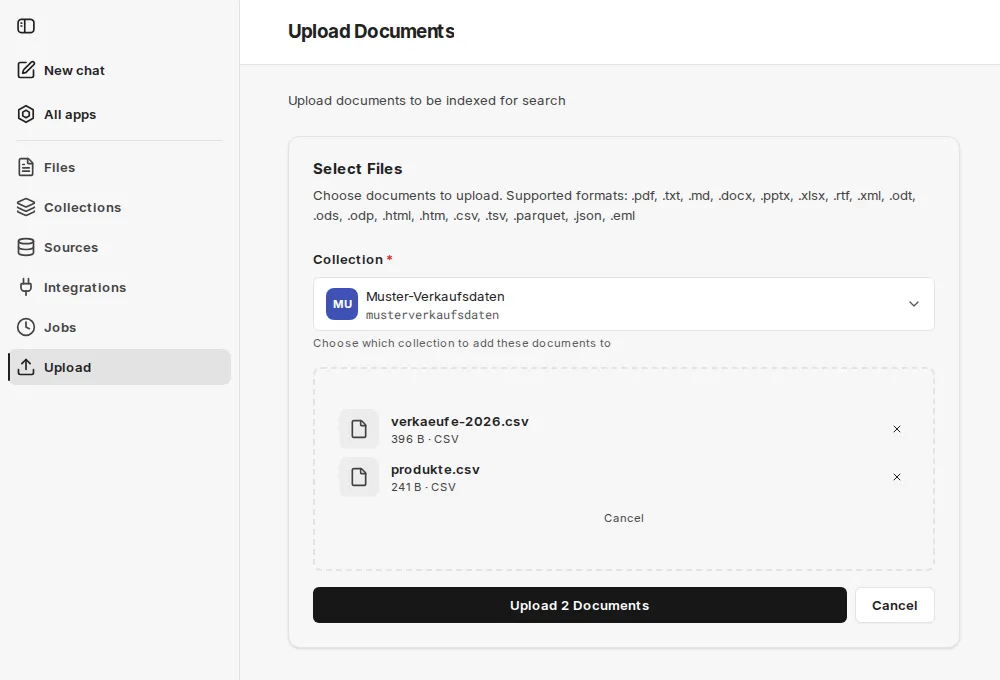
Importing is also possible as a source, for example from a SharePoint folder. Updated files are then pulled in automatically. For dataset collections, a source only synchronizes tabular files.
You can see the schema of an imported file under Files via the file’s info icon.
Live defined schema
Section titled “Live defined schema”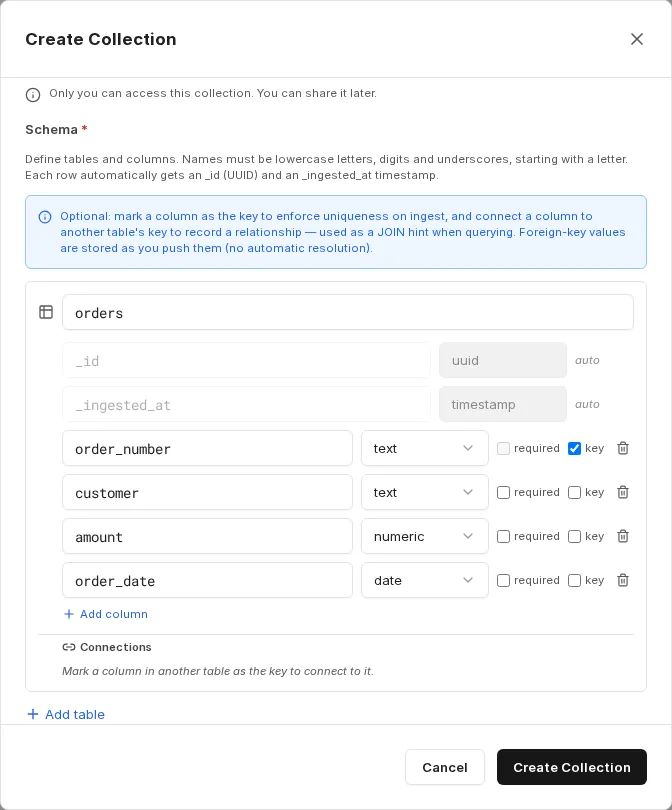
You define tables and columns with data types (text, integer, numeric, boolean, timestamp, date). Names must consist of lowercase letters, digits and underscores and must start with a letter. Every row automatically receives _id (UUID) and _ingested_at (timestamp).
Optionally, mark a column as the key to enforce uniqueness on ingest, and connect a column to another table’s key to record a relationship. This relationship is used as a JOIN hint in queries. Foreign key values are stored exactly as you send them.
Pushing rows
Section titled “Pushing rows”After creation, one endpoint per table is available. The Ingestion instructions icon on the collection shows the exact URLs.
The call expects an object with a rows array; each object in it corresponds to one row. Up to 10,000 rows are possible per call, so a third-party system can fill the table continuously. The response reports with status 201 how many rows were inserted (inserted) and rejected (rejected), together with any errors (errors). A DELETE on the same URL empties the table.
Details on paths, parameters and responses can be found in the companyRAG API reference.
Access requires an API key of a person who is an admin or owner of the collection.
Querying
Section titled “Querying”Dataset collections are not queried via content search, but with the SQL tools of the ai-search MCP server. With these, an agent can list the available datasets, read the schema, describe tables and run queries across several tables with joins.
Which tools to enable and which prompt has proven effective is described in Using companyRAG in CompanyGPT.