
Editing presentations
Presentations can not only be created from scratch but also reworked from an existing deck. You attach the .pptx file in the chat, the agent reads the slides together with their layout and changes exactly what you name. Design, font and logo of the original are preserved.
The workflow
Section titled “The workflow”- Upload the presentation. The file is attached to the message; the upload runs in the background.
- Ask for a review. A good start is a question rather than an instruction, for example “Does the agenda match the content?”. The agent reads the deck and answers with an assessment.
- Approve the change. Only then comes the instruction – something like “Adjust the agenda.” The agent usually writes the changes straight back into the attached presentation; where that is not possible, it creates a modified copy as a new document. The answer states what happened.
- Ask for content improvements. Asked how the content could be improved, the agent answers with a list of suggestions that you can adopt individually or as a whole.
In the example a training presentation grows this way from an agenda with four items to a deck of 22 slides, extended by “Prompt engineering: before and after”, a hands-on exercise, the key takeaways and an outlook.

The agent places new slides on the layouts of the presentation’s slide master. That way they take over fonts, colors, logo and arrangement of the original file – even if the presentation contains no placeholders. It can fill a layout’s picture placeholders with an attached image or one stored in companyFILES; the image is cropped to fit instead of being distorted.
Before larger changes: raise the step limit
Section titled “Before larger changes: raise the step limit”Rebuilding a whole presentation consists of many individual tool calls – read slide, set fields, append slides, check result. The default value for the maximum agent steps is not sufficient for that.
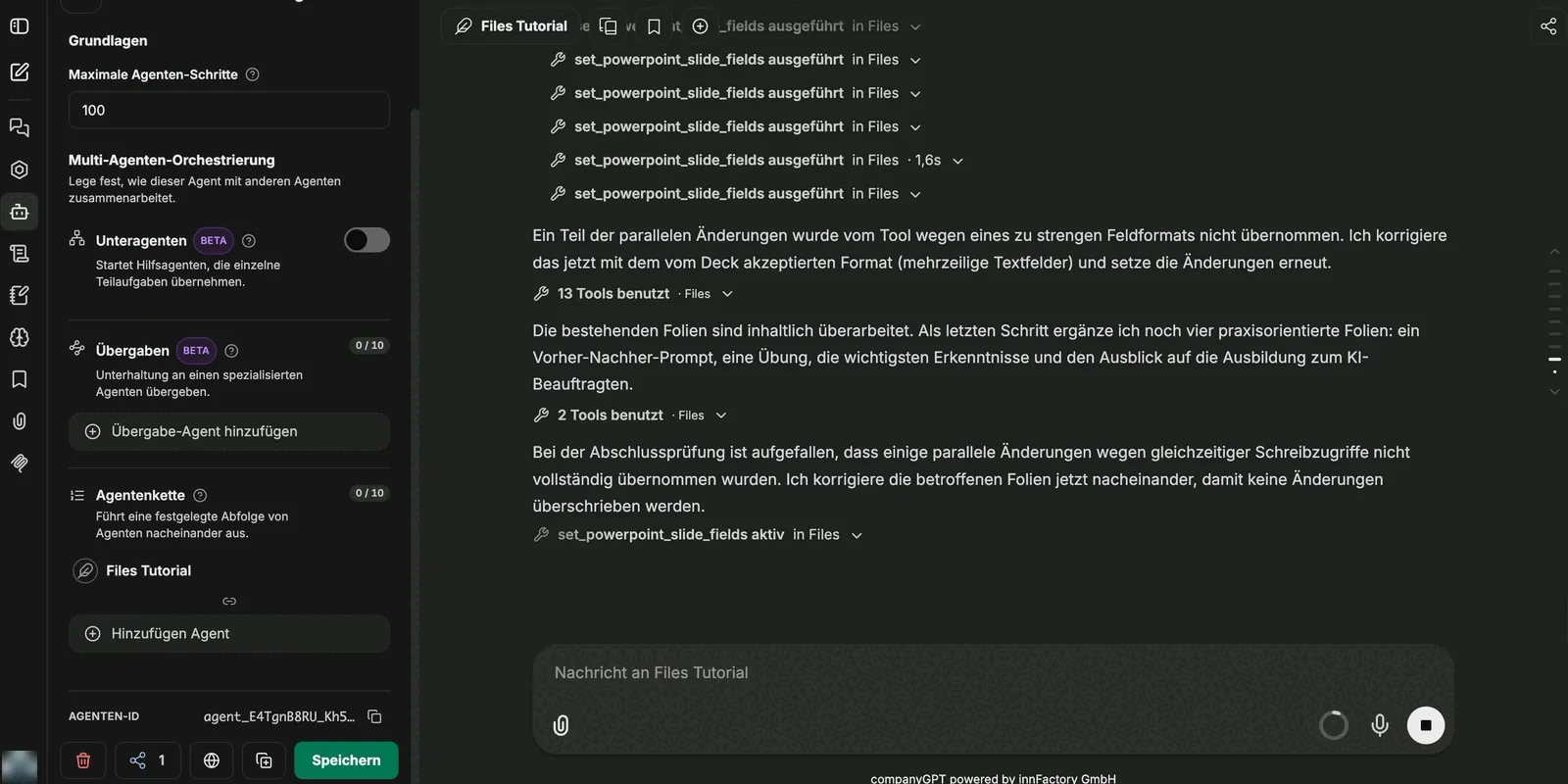
What the agent corrects on its own
Section titled “What the agent corrects on its own”During extensive rebuilds the agent checks the tools’ answers and notices itself when a change was not applied. If the tool rejects some of the changes because of an overly strict field format, for instance, the agent repeats them in the accepted format (multi-line text fields, for example).
This happens without intervention, but it lengthens the run – another reason to set the step limit generously beforehand. companyFILES applies several changes to the same presentation one after another, so calls started at the same time do not overwrite each other.
Limits
Section titled “Limits”- companyFILES only loads images for slides from publicly reachable addresses. Attach images from your intranet in the chat instead.
- If the chat holds only a text extract of the attached presentation, companyFILES cannot edit it and asks you to upload the original file again – see Editing attached files.
Beyond that the same applies as elsewhere: the result is a very advanced draft, not a finished presentation. Individual slides still need work on wording and arrangement afterwards. The value lies in the groundwork – structure, content and design are in place, consistently in the design of the original file.
Templates as a starting point
Section titled “Templates as a starting point”Instead of an uploaded file, a stored PowerPoint template can serve as the starting point. It then lives permanently in companyFILES and does not have to be attached every time. This works with placeholders as well as with a plain slide master without placeholders – see Templates.
For changes the companyFILES tools do not cover, the agent can attach a copy of the template to the chat and edit it with the code interpreter. A .potx template arrives as .pptx – see Handing a template to the code interpreter.
Next: Templates.