
Upload
With Upload you add single or multiple files directly to a collection. This is the quickest way to test a set of documents or to add one-off documents. For recurring content, use a source instead.
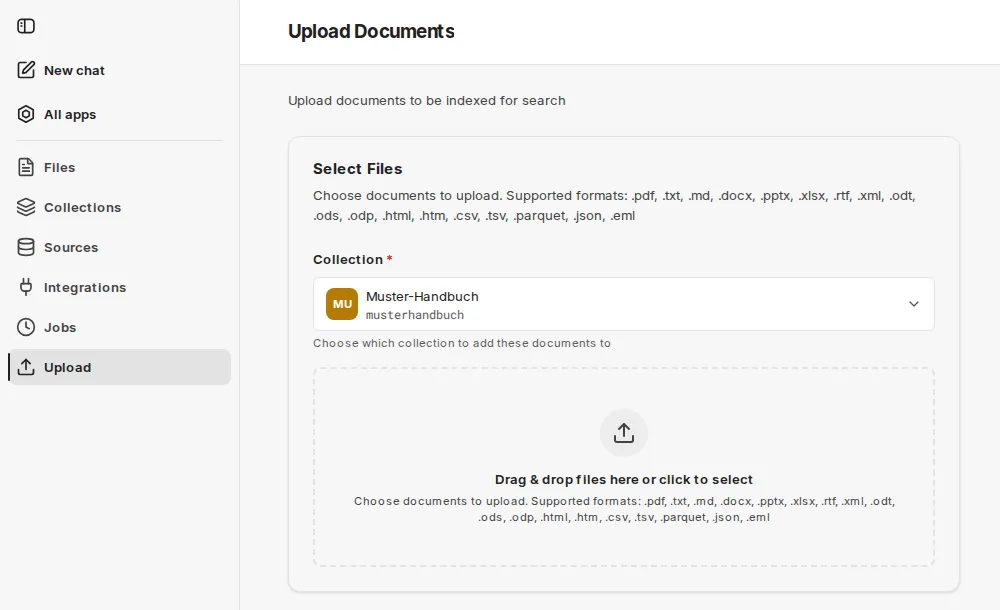
Process on the Upload Documents page:
- Select the Collection the documents should be added to. Only collections in which you are an owner or admin are offered. If there are none, the page shows No writable collections.
- Drag files into the drop area or click to select them.
- Start with Upload Document or Upload … Documents. The page shows the progress per file.
- Each file is created as a job and indexed; you can see the status under Jobs.
Supported formats
Section titled “Supported formats”.pdf, .txt, .md, .docx, .pptx, .xlsx, .rtf, .xml, .odt, .ods, .odp, .html, .htm, .csv, .tsv, .parquet, .json, .eml
The legacy Excel format .xls is not supported. Save such files in Excel as a workbook (.xlsx).
The interface flags files larger than 50 MB with a notice. The maximum size of an upload is set by your environment.
Uploading tables
Section titled “Uploading tables”For tabular data that should be queried via SQL, a dataset collection is the right choice. If you upload CSV, Excel or Parquet files to a document collection, companyRAG stores them as queryable datasets as long as the option Tabular files as datasets is enabled there.