
Creating and maintaining knowledge
Once the bundle exists and the agent is set up, the actual work amounts to two sentences in the chat: name the source, approve the plan. Everything else — writing files, updating the index, appending to the log, validating and committing — is handled by the agent.
Sources
Section titled “Sources”Anything the agent has access to works as a source: collections in companyRAG, documents and transcripts from M365, attached files, GitHub repositories. For content from the web the WebFetch tool is added; in the example, naming a product page along with the instruction to turn it into documentation is enough. PDFs and other document types work the same way.
The plan comes first
Section titled “The plan comes first”Before anything is written, the agent replies with a list of the intended concepts — file name, type and one line of description per entry:
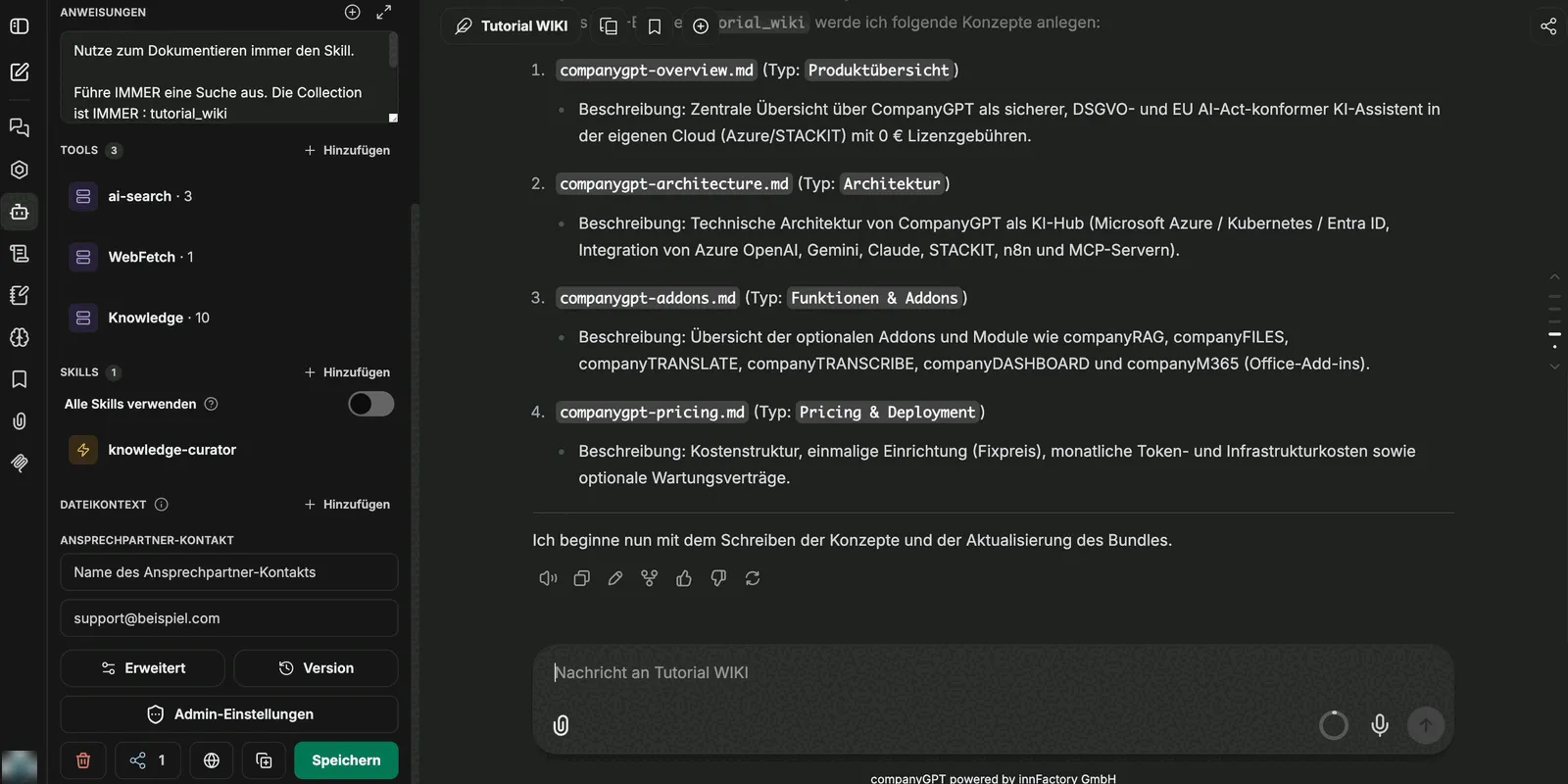
This intermediate step is the right moment for objections: one concept too many, a wrongly chosen type, a file that belongs in a subfolder — here the correction costs one sentence, after writing it costs a clean-up run.
Write, validate, commit
Section titled “Write, validate, commit”After confirmation the agent works through the plan and makes the steps visible in the chat:
- The concepts are written.
- The index is updated.
- The change log is appended to.
- The bundle is validated.
- The changes are saved: with SharePoint and in the Direct commit mode as soon as they are written, in the Pull request mode as a pull request for review.
For a bundle in pull request commit mode the run ends with a proposed change for review instead of a direct commit. That lets the knowledge base be treated exactly like source code: the agent proposes, a human approves. See OKF bundles.
The result
Section titled “The result”Every generated file has the same shape: a header block with type, tags, resource, title, description and timestamp, below it the content with headings, and a references section at the end.

The content stays short and points to the related concepts instead of repeating them — which keeps the files individually readable and individually updatable.
Automatic indexing
Section titled “Automatic indexing”Because the bundle is connected as a collection in companyRAG, the new files appear under Files with the status Indexed without any further action:
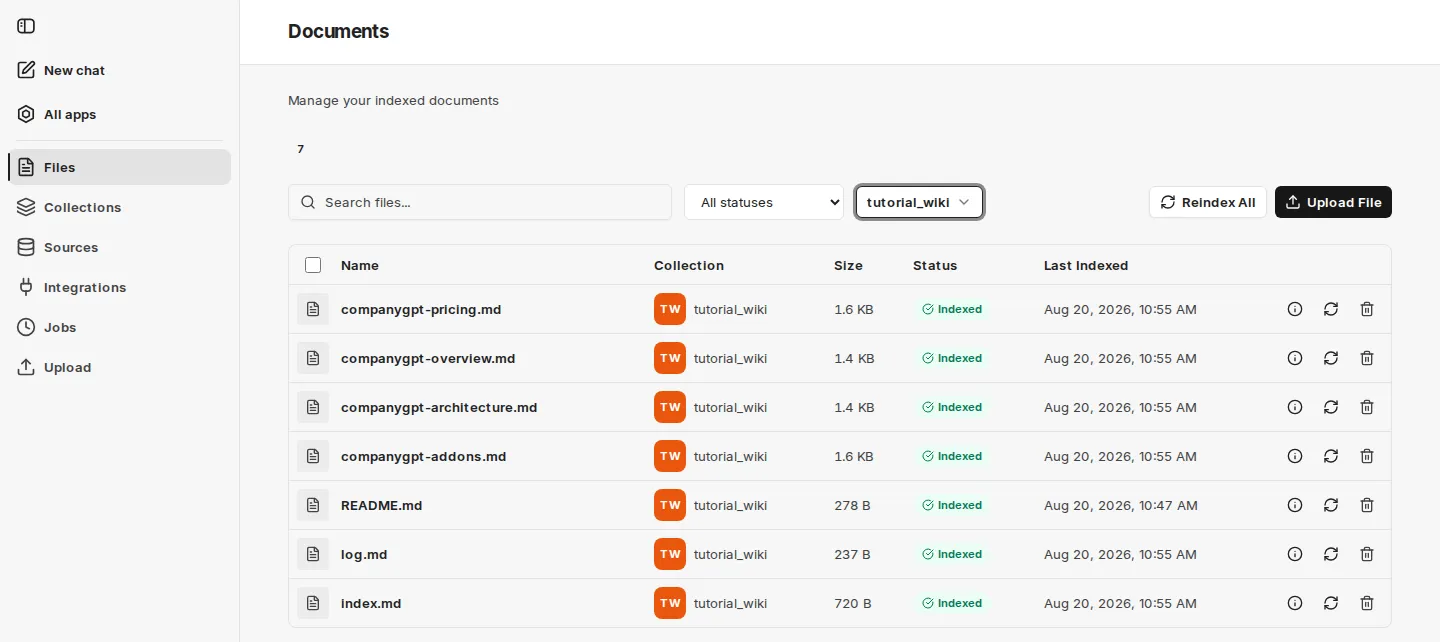
As soon as a file is written it is indexed; when it changes, the index is updated. That closes the loop: the agent writes the knowledge, and the same knowledge is immediately findable through search — for users in CompanyGPT and for other agents through their tools.
What next?
Section titled “What next?”- Files – check the state of individual files and re-index them.
- Using it in CompanyGPT – put the collection to work in chats and agents.