
Access from CompanyGPT
Transcripts do not have to be processed by hand. Through the companyTRANSCRIBE MCP server, an agent in CompanyGPT gains access to your own transcripts and voiceovers — it lists them, retrieves their content, summarises them, and generates new voiceovers on request.
Setting up the agent
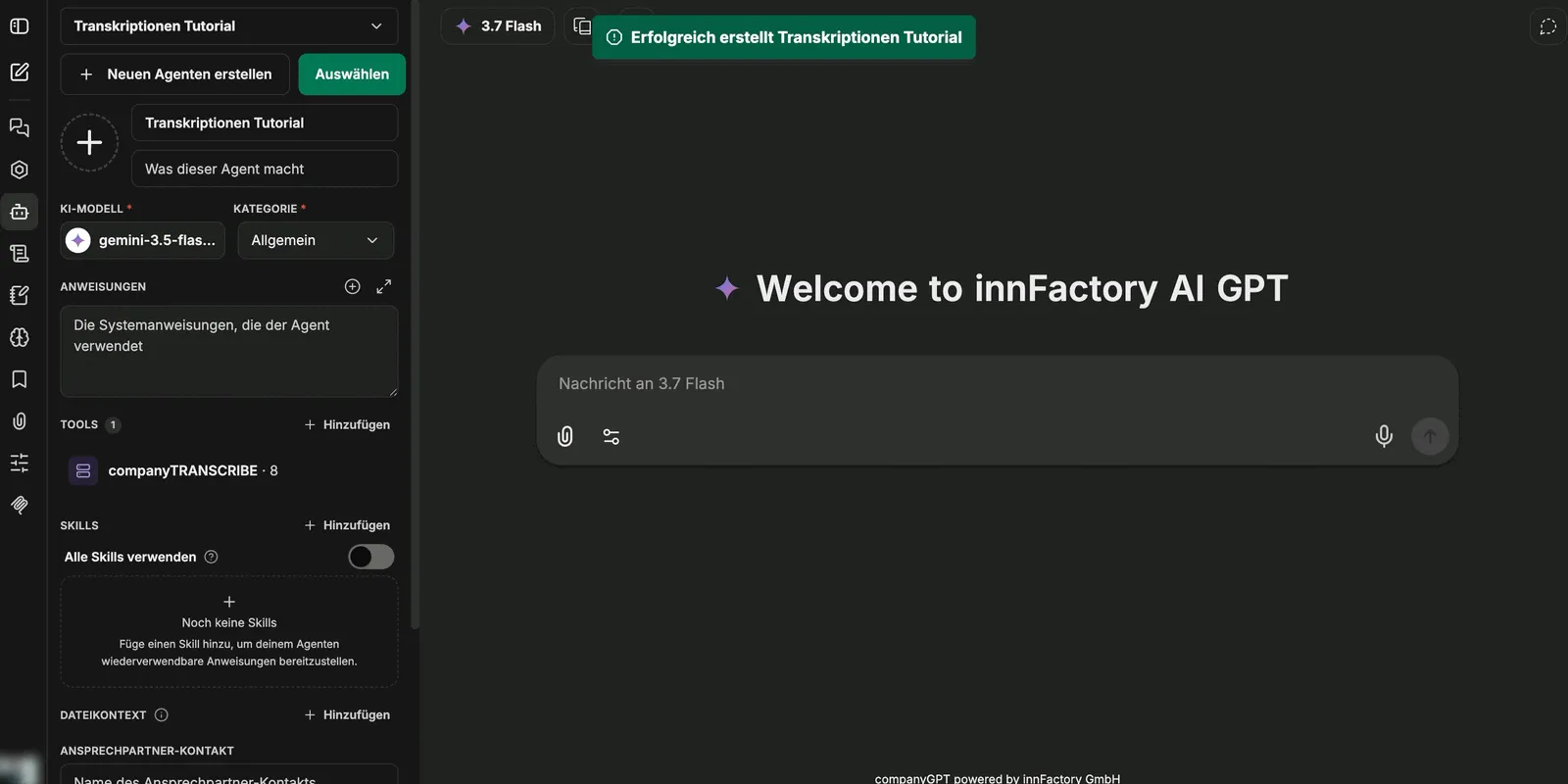
Section titled “Setting up the agent”- In CompanyGPT, create an agent via Create New Agent and give it a name.
- Choose an AI model and a category. A small, fast model is enough for listing and summarising; extensive instructions are not required.
- Under Tools, click Add and select companyTRANSCRIBE under MCP Servers in the Tool Library.
- Click Connect companyTRANSCRIBE in the dialog. Once connected, the interface reports “MCP server ‘companyTRANSCRIBE’ initialized successfully”.
- Save the agent.
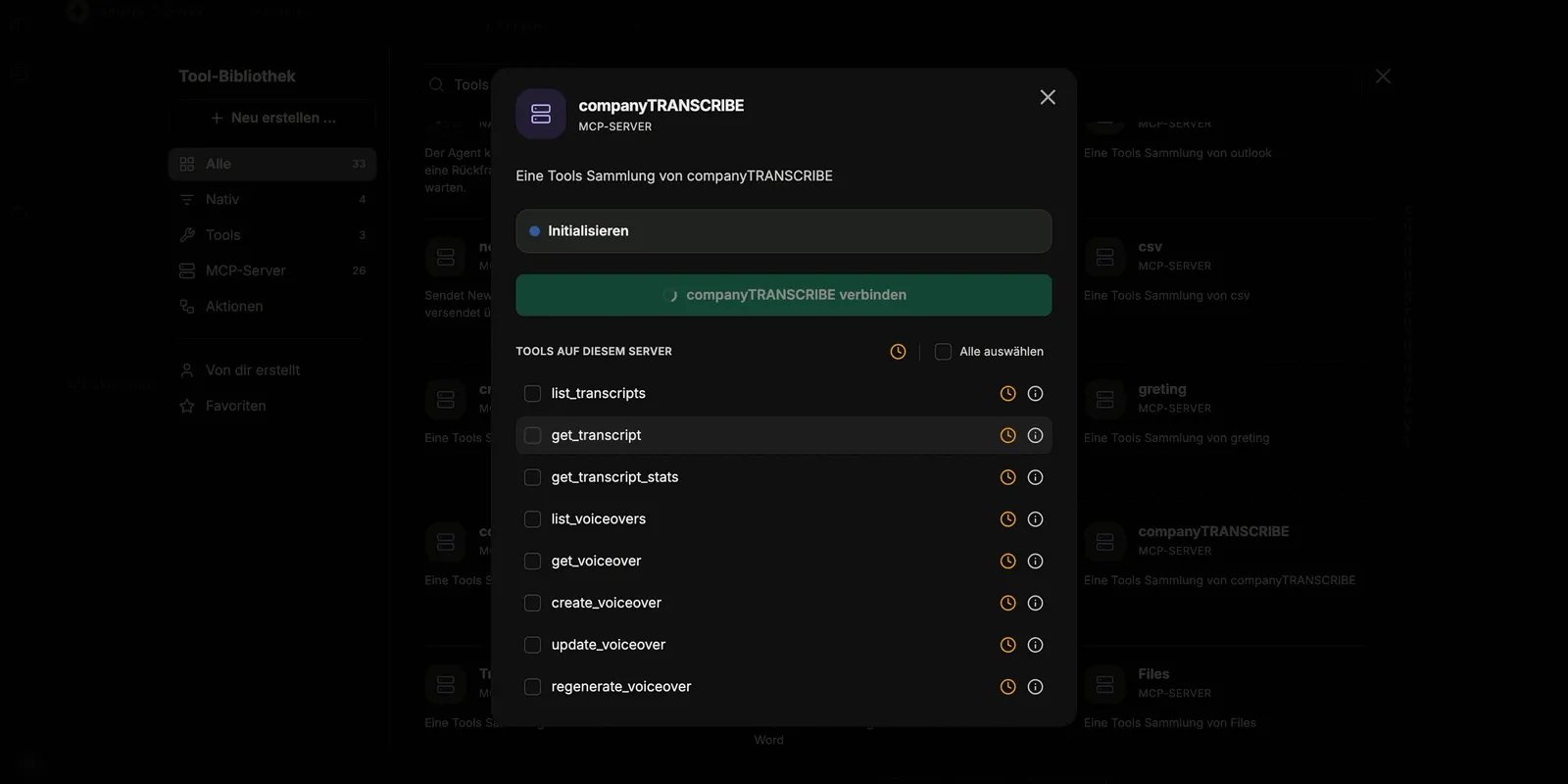
In the dialog you can enable the server’s tools individually or take them all at once via Select all. After saving, the server appears in the agent’s tool list with the number of tools included.
Available tools
Section titled “Available tools”The server provides eight tools — three for transcripts, five for voiceovers:
| Tool | Purpose |
|---|---|
list_transcripts | List existing transcripts |
get_transcript | Retrieve the full content of a transcript |
get_transcript_stats | Retrieve metrics for a transcript |
list_voiceovers | List existing voiceovers |
get_voiceover | Retrieve a single voiceover |
create_voiceover | Generate a new voiceover |
update_voiceover | Update an existing voiceover |
regenerate_voiceover | Regenerate the audio of a voiceover |
Typical uses
Section titled “Typical uses”Once the agent is connected, a single instruction in the chat is enough:
- Listing — the agent names the available transcripts along with the number of speakers detected.
- Summarising — given a prompt such as “Summarise the recording <title>”, the agent retrieves the transcript and summarises its full content.
- Producing minutes — a raw transcript becomes structured meeting minutes, summaries, or to-do lists in whatever format you ask for.
- Generating a voiceover — the agent creates a new voiceover via
create_voiceoverand returns a link from which the audio file can be downloaded. Depending on length, generation takes a moment; the voiceover then also appears in the Voiceovers overview.
What next?
Section titled “What next?”Recording and transcribing and Editing transcripts describe how transcripts come about and how to correct them before analysis. For general information on MCP servers in CompanyGPT, see MCP Server.