
User Interface
The User Interface in CompanyGPT allows you to communicate with different AI models, create agents, manage prompt templates, and much more.
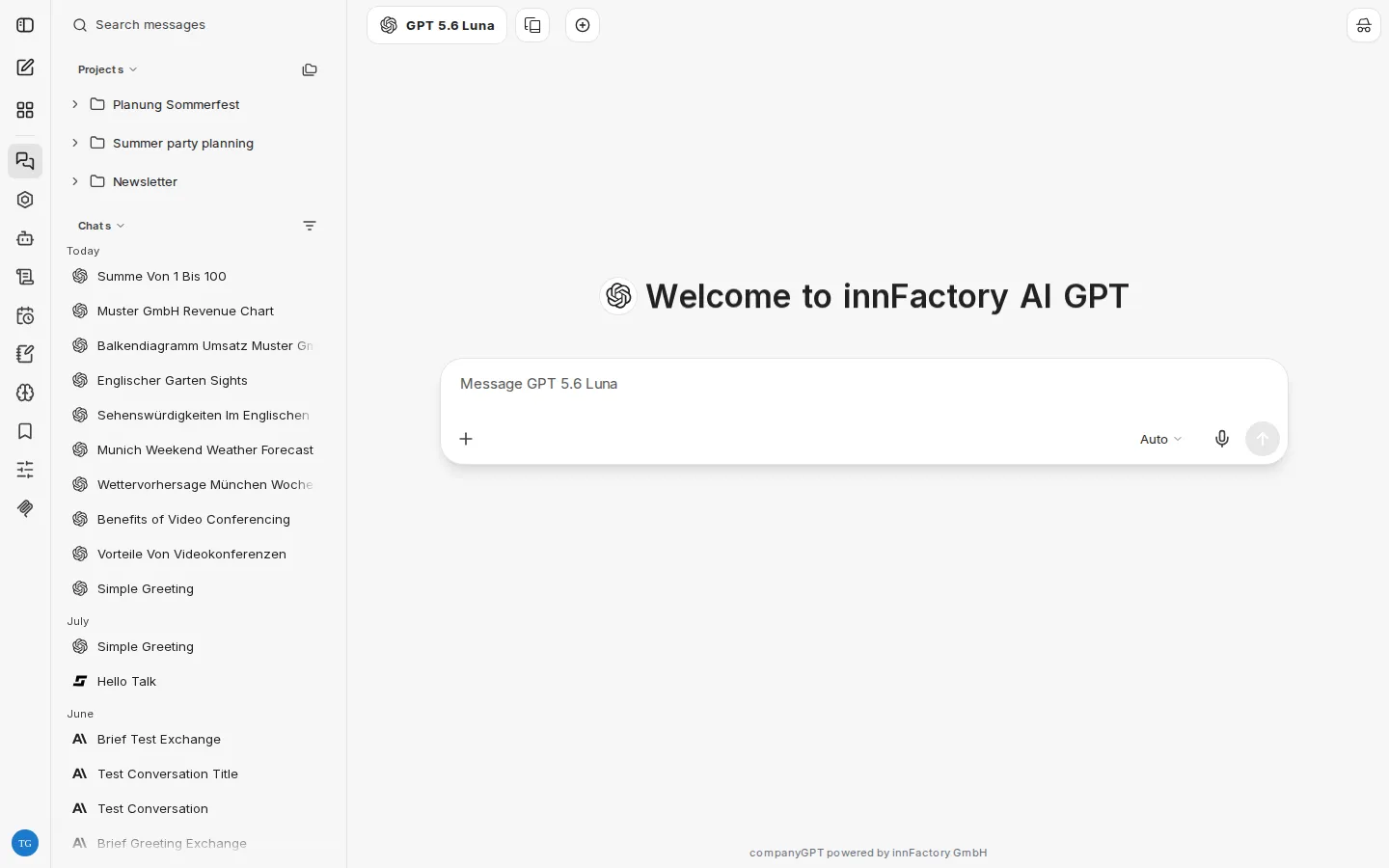
Model Selection
Section titled “Model Selection”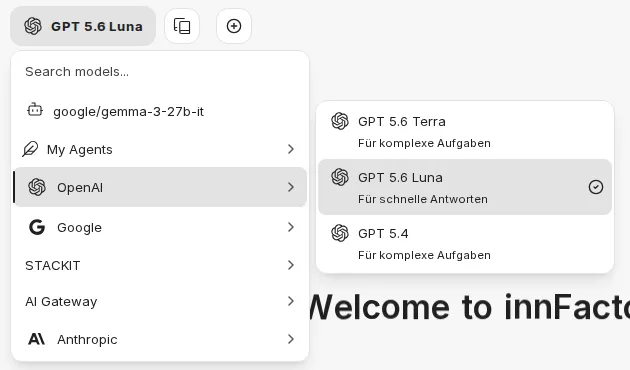
A list of currently available models can be found under Model Selection.
Chat Input
Section titled “Chat Input” Prompts can be entered via keyboard or microphone.
Attaching files
Section titled “Attaching files”Use the plus icon in the input field (Attach and tools) and choose From Local Computer to upload files directly. Alternatively, drag and drop files into the chat. You do not choose an upload target: CompanyGPT decides how a file is processed based on its file type.
If SharePoint is connected in your environment, the same menu also offers From SharePoint.
How each file type is processed is described on the File processing page.
Integrations
Section titled “Integrations”The plus icon in the input field opens the Attach and tools menu. There, you enable integrations for the current chat:
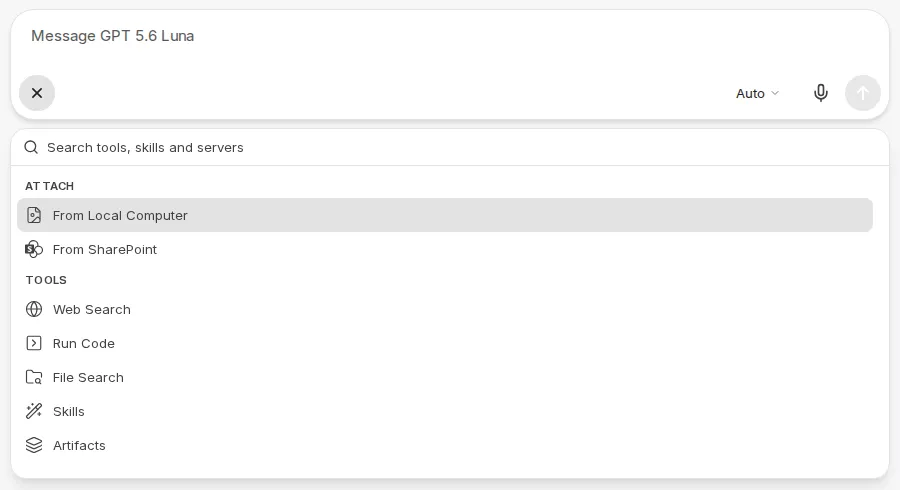
- File Search
- Web Search
- Skills
- Run Code
- Artifacts
- MCP Servers
- Memory, if available in your environment
Active tools and MCP servers appear as chips in the input bar. Use the x in a chip to turn them off again. Mark frequently used entries as favorites with Add to favorites or Ctrl + D (macOS: ⌘ + D). Use the search field at the top of the menu (Search tools, skills and servers) to find tools, skills, and servers directly.
Chat History
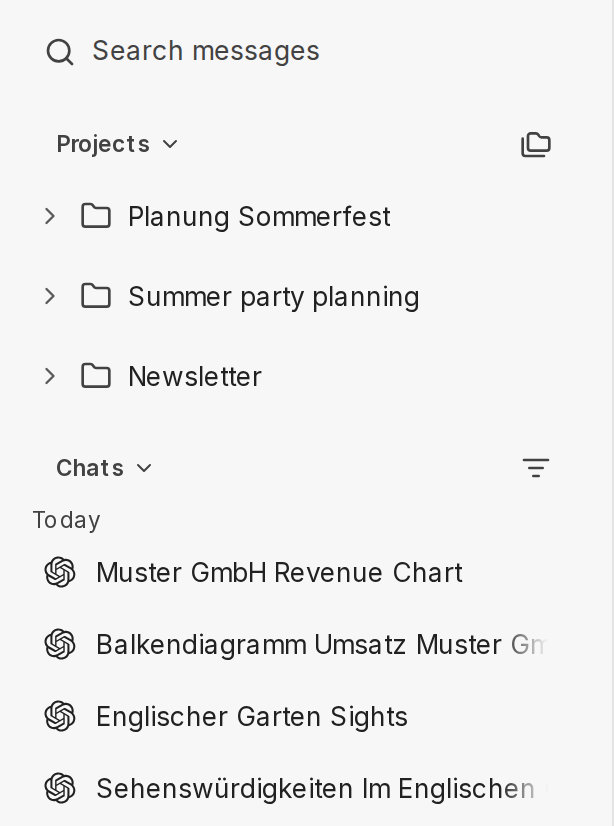
Section titled “Chat History”The Chat History area shows all chats you have had so far. From top to bottom, it contains:
- Search field: Search messages searches the titles and message contents of your chats. While you search, the list shows only the results.
- Projects: your projects with the chats assigned to them.
- Pinned: pinned chats as well as pinned models and agents. Change the order by drag and drop or with
Alt+ arrow up or down. Dragging a chat into this area pins it. - Chats: all other chats, grouped by date. Chats from projects only appear here if you enable Show project chats in the filter menu. With the default sort order (Updated, Newest first), chats in which a response is currently being generated appear in a separate Running group at the top of the list. Chats with an active shared link are marked with an icon. Chats with new, unread replies are marked as well.
Chat menu
Section titled “Chat menu”The three dots on a chat offer the following actions: Pin, Mark as unread (marks the chat as unread again), Rename, Archive, and Delete. Further actions such as Share, Export, Change project, and Duplicate are available in an open chat in the Chat options menu at the top right. How sharing works is described in Chat.
Filtering and sorting
Section titled “Filtering and sorting”The Filter and sort chats icon next to the Chats heading opens the Chat list menu for narrowing down and ordering the chat list:
- Show: Active chats or Archived chats. In the archived view, use Unarchive to restore a chat.
- Sort: Under Sort chats by, choose Updated, Created, or Title, and for archived chats also Date Archived. Below that, choose the Order (Newest first or Oldest first, or A to Z or Z to A).
- Filter: narrows down the list by bookmarks (Bookmarks), by when chats were last changed (Updated) or created (Created), by Endpoint, and to chats with attachments (Has attachments) or shared chats (Shared only). If you select several bookmarks, all chats that carry at least one of them are shown. Use Search filters to find a filter directly; Clear filters removes the filters again.
- Show project chats: additionally shows the chats from projects in the Chats list.
When filters are active, the filter icon is highlighted. A changed sort order also counts as an active filter. Use Reset at the top of the menu to reset all filters and the sort order. CompanyGPT remembers the selected sort order; filters apply until the page is reloaded.
Sidebar
Section titled “Sidebar”
- Open/Close sidebar
- New chat
- Agent Marketplace
- Chat History
- Apps
- Agent Builder
- Skills
- Scheduled chats
- Prompts
- Memories
- Bookmarks
- Parameters
- MCP Settings
Which entries you see depends on your permissions and the configuration of your environment:
- Apps only appears if All Apps is set up in your environment.
- The Agent Marketplace only appears with the appropriate permission.
- Parameters is only shown when a model, not an agent, is selected and your environment allows the parameters.
Account menu
Section titled “Account menu”At the bottom left, click your profile picture to open the account menu. It contains Help (with Help & FAQ, which by default opens this documentation in a new tab, and Keyboard Shortcuts), Archived chats, My Files (an overview of your uploaded files, where you can filter and delete them), the Settings, and Log out. If a balance is set up in your environment, the menu also shows your Balance.
Keyboard Shortcuts
Section titled “Keyboard Shortcuts”Open the list of all keyboard shortcuts via the account menu at the bottom left under Help > Keyboard Shortcuts, or press Ctrl + Shift + / (macOS: ⌘ + ⇧ + /).
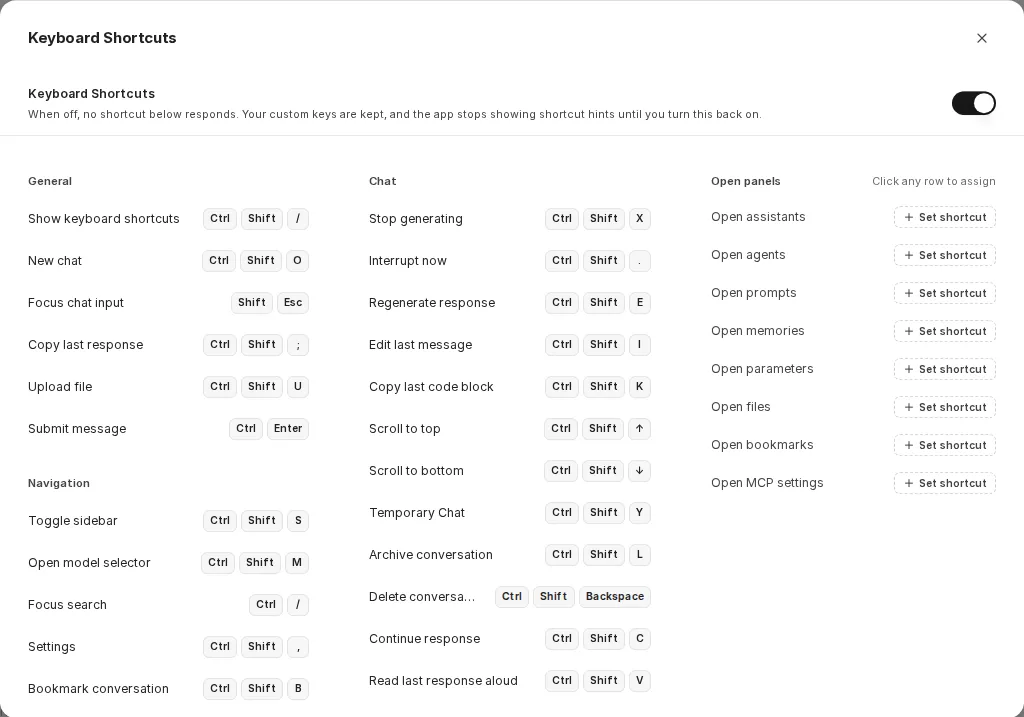
To assign your own shortcut to a command, click the shortcut on the right of its row or, for commands without a binding, Set shortcut. As soon as you have set at least one custom shortcut, Reset all to defaults appears; it restores the original key bindings. The Keyboard Shortcuts switch at the top of the dialog turns off all shortcuts; your custom key bindings are kept.