
Jobs
Under Jobs you see all indexing and synchronization operations with their current status. Every upload and every synchronization run of a source creates jobs – one job per file.
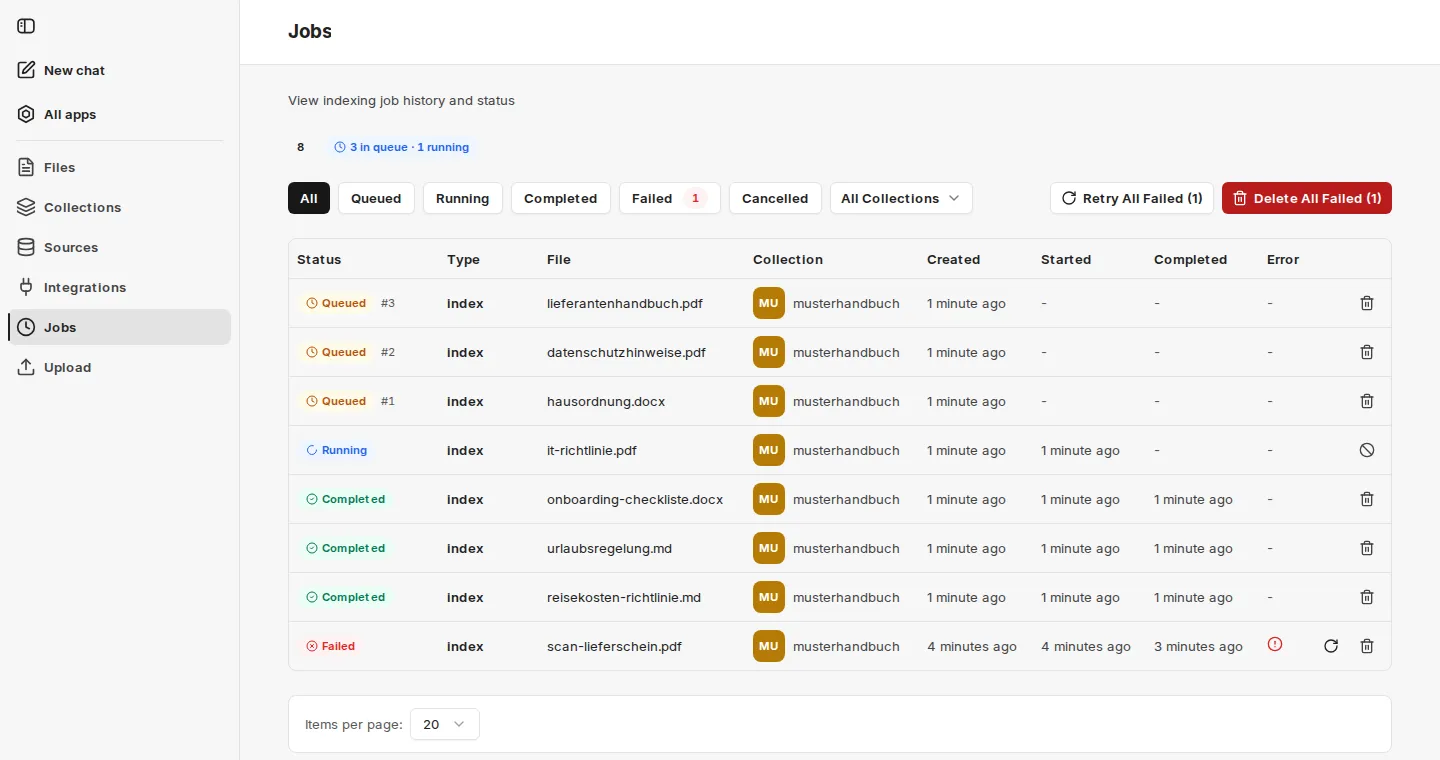
At the top, companyRAG shows how many jobs are in the queue and how many are running. The figure covers all collections – jobs ahead of yours count too. Queued jobs show their position in the queue (e.g. #3).
The list can be filtered by status and by collection. For each job, Type (e.g. index), File, Collection and the times Created, Started and Completed are shown; failed jobs list the cause in the Error column.
Status:
- Queued: The document will be indexed shortly
- Running: The document is currently being indexed
- Completed: The document has been indexed
- Failed: The document could not be indexed. More information can be found in the Error column.
- Cancelled: The job was cancelled
Actions per job:
- Retry job: for failed jobs, for example after an error has been fixed.
- Cancel job: for running jobs. Partially uploaded data is cleaned up. Running jobs cannot be deleted, only cancelled.
- Delete job: Deletes the job from the queue or the history. Status Completed → the indexed file remains. Status Queued → the file will not be indexed.
If there are failed jobs, Retry All Failed and Delete All Failed also appear.