
Setting up the agent
The companyFILES tools are available in every chat. For anything beyond a single file it is still worth having a dedicated agent: it already carries the Files tool and the matching skills, so the prompt only has to state the goal. It is created like any other agent under Agents → Create new agent.
Basic settings
Section titled “Basic settings”| Field | Recommendation |
|---|---|
| Name | a descriptive name, for example the purpose of the agent |
| What this agent does | short description; optional |
| AI model | a small, fast model is sufficient — the work consists mostly of tool calls |
| Category | General, unless a dedicated category exists |
| Instructions | keep them short; the rules come from the skills |
A companyFILES agent does not need long system instructions. What works well are two context variables, inserted via the plus icon next to the Instructions field and filled in at call time:
| Variable | Purpose |
|---|---|
{{current_user}} | who is requesting the document – ends up in the sender field of a letter, for instance |
{{current_datetime}} | date and time for document headers, minutes and file names |
The Files tool
Section titled “The Files tool”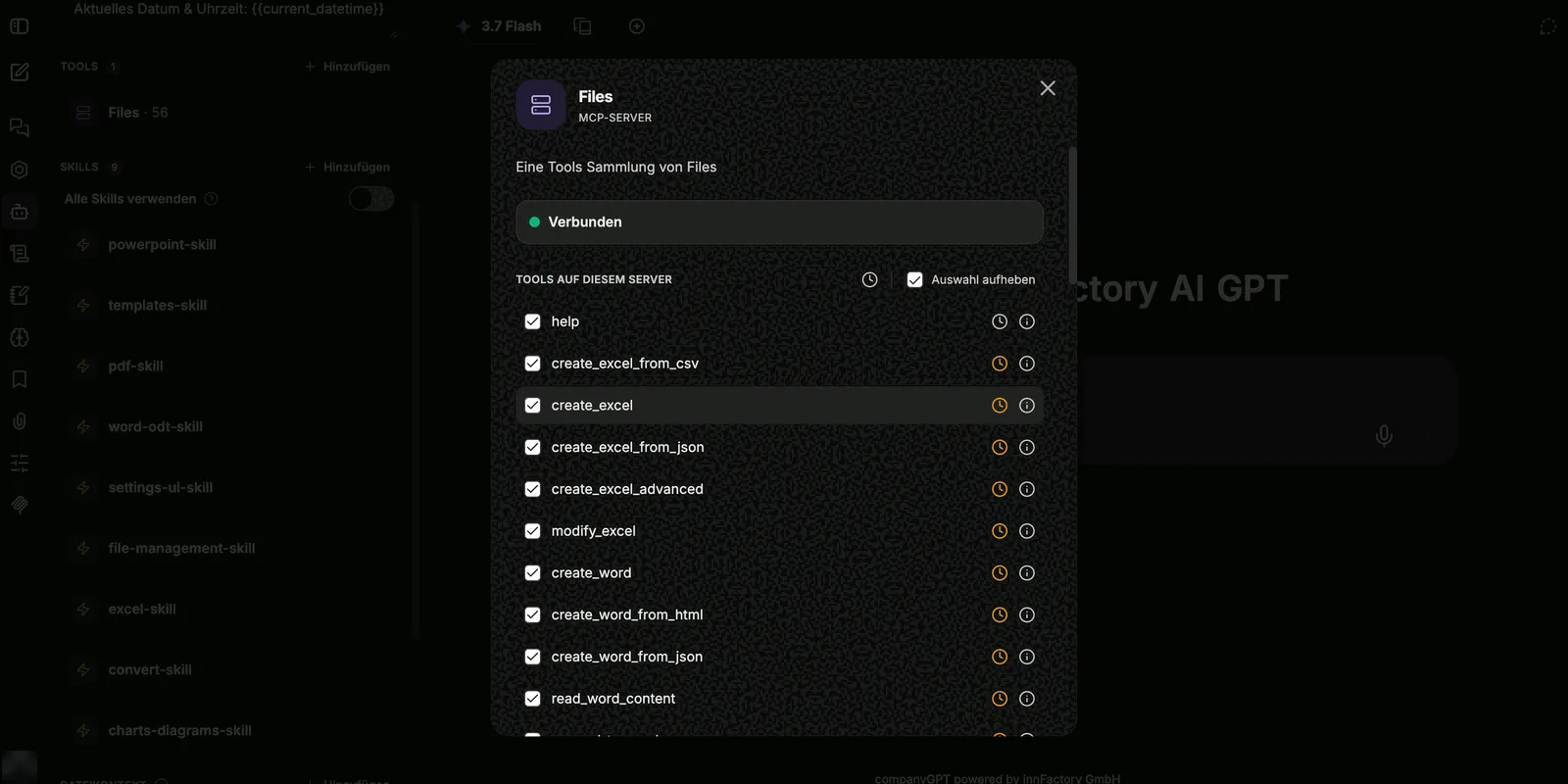
The Files tool is added under Tools → Add. It is an MCP server and brings a whole set of tools with it. Exactly how many depends on which extensions are active in your environment; the counter in the sidebar shows the number next to the name, in the screenshot as Files · 56. The dialog shows the connection state (Connected) and below it the list of tools on this server, in which individual tools can be deselected – or all of them at once.
Every row has a clock icon next to the name. It marks lazy loading: the tool is only pulled into the context when it is needed. That saves context and makes sense for nearly every tool. The exception is help – it stays permanently active so the agent can look up the remaining tools in the first place.
The tools at a glance
Section titled “The tools at a glance”Excel: create_excel, create_excel_from_csv, create_excel_from_json, create_excel_advanced, modify_excel, read_excel, read_excel_detailed, create_excel_from_template, fill_excel_template
Word and OpenDocument: create_word, create_word_from_html, create_word_from_json, read_word, read_word_content, append_to_word, replace_word_content, create_word_from_template, create_word_from_template_with_images, create_odt, create_odt_from_html, create_odt_from_template
PDF: create_pdf, create_pdf_from_html, read_pdf, list_pdf_form_templates, fill_pdf_form, fill_and_flatten_pdf_form, read_pdf_form_fields, fill_pdf_form_fields
PowerPoint: create_powerpoint, read_powerpoint_slides, append_slides_to_powerpoint, update_powerpoint_slide, create_powerpoint_from_template, describe_pptx_template, create_powerpoint_from_layouts, add_slides_from_layouts, set_powerpoint_slide_fields
Text, conversion, archives: create_text_file, convert_document, get_supported_conversions, create_zip_from_stored_files
File management: upload_file, download_stored_file, list_documents, search_documents, list_my_files, get_settings, open_companyfiles_ui
Templates: list_templates, attach_template_to_chat – the latter attaches a copy of a template to the chat so the code interpreter can edit it; see Handing a template to the code interpreter
Images: view_image – the agent looks at a stored image (PNG, JPEG, WebP, GIF) itself, such as an uploaded photo or an exported chart, and can describe or analyze it
Visualization: create_chart_document, embed_chart_in_document, show_interactive_chart, show_interactive_diagram, show_interactive_map
Help: help
In addition, some tools are only available with an extra extension:
| Extension | Tools | Description |
|---|---|---|
| Reading further formats | read_file, save_file_part, convert_to_markdown | reading e-mails, archives and older formats, saving attachments as documents of their own, storing whole files as Markdown – see Reading e-mails, archives and older formats |
| CAD, BIM and 3D | describe_model, query_model, get_model_element, aggregate_model, model_areas, create_model_report, render_model_view, show_model_viewer, convert_model, edit_model | analyzing, viewing, converting and editing models – see CAD, BIM and 3D |
Skills
Section titled “Skills”companyFILES comes with a set of bundled skills. They contain no content, only the rules for working with the tools – which tool is responsible for which format, in what order to work, and how to check a result. They are selected in the agent’s Skills section.
| Skill | Responsible for |
|---|---|
excel-skill | Excel spreadsheets, formulas and formatting |
word-odt-skill | Word and OpenDocument documents |
pdf-skill | PDF creation and PDF forms |
powerpoint-skill | creating and reworking presentations |
templates-skill | producing documents from templates |
charts-diagrams-skill | charts, diagrams and maps |
convert-skill | conversion between formats |
file-management-skill | storing, searching and downloading files |
settings-ui-skill | reading the settings and applying them to documents |
The agent can use all skills of the organization, none, or only selected ones. For a document agent, picking the companyFILES skills explicitly is enough.
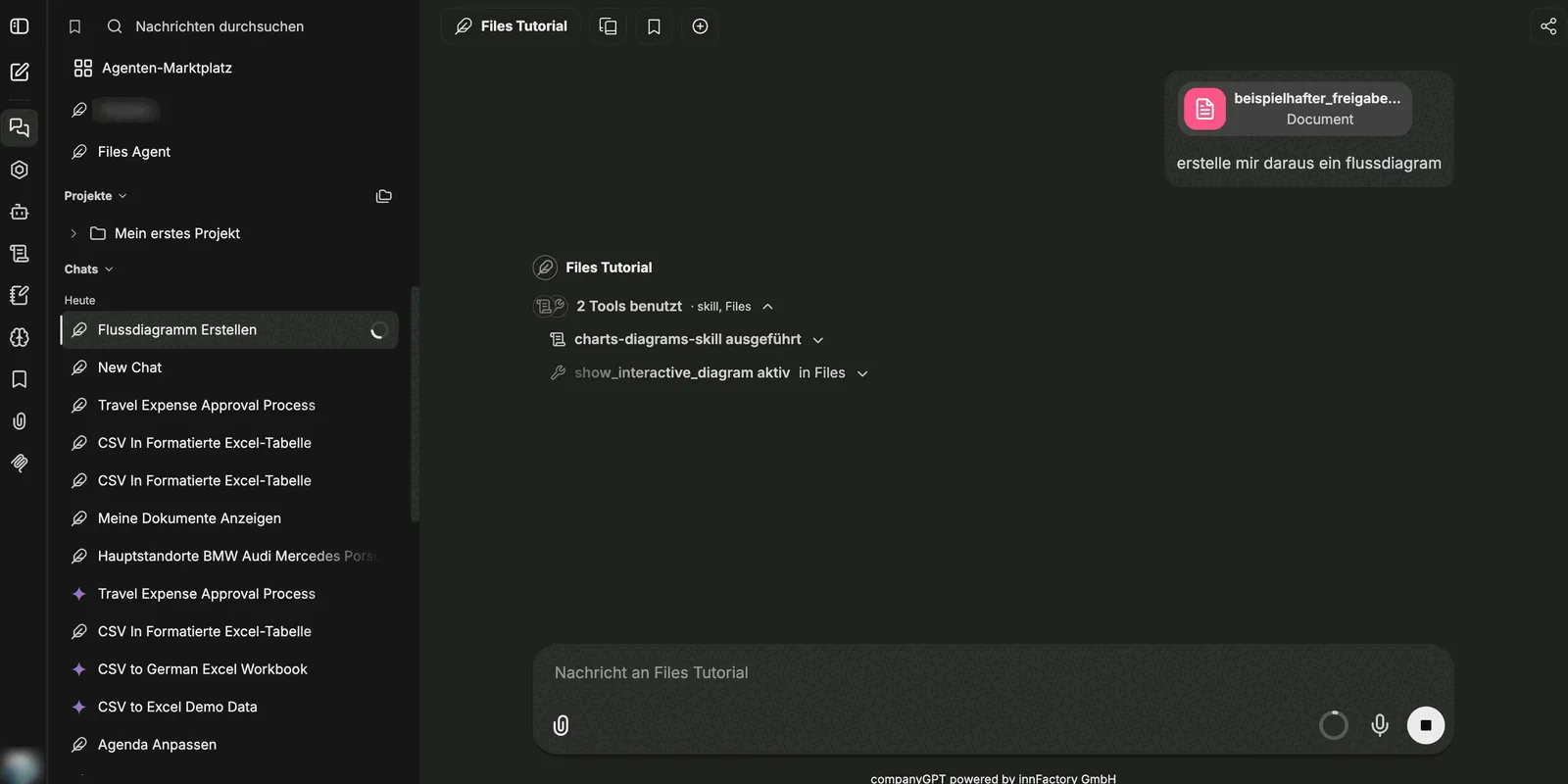
Both are visible in the chat: above the answer it says how many tools were used and where they came from – for example “2 tools used · skill, Files” – followed by the skill that ran and the active tool.
Maximum agent steps
Section titled “Maximum agent steps”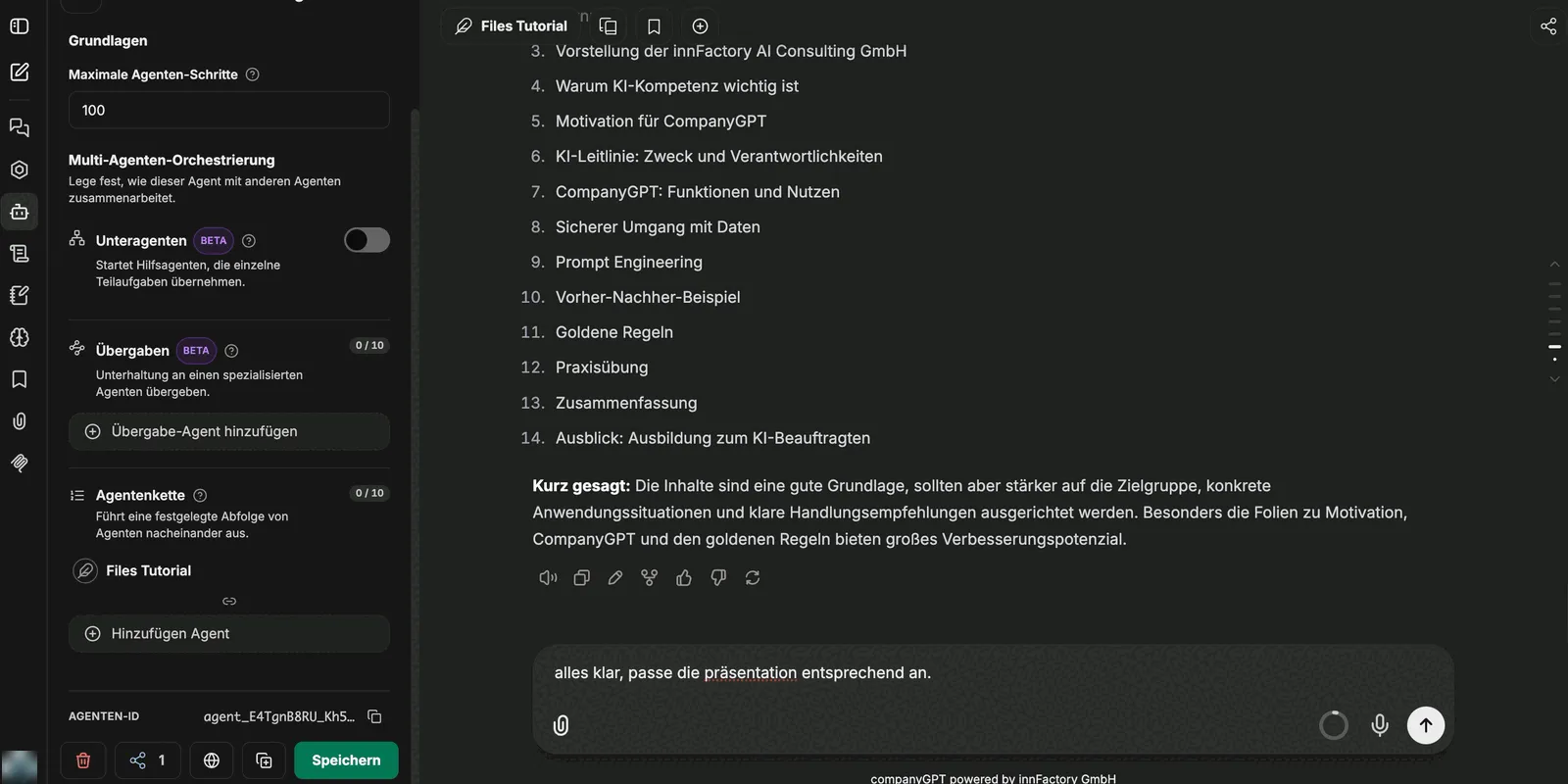
Under Advanced → Basics you find the field for the maximum agent steps. It limits how many tool calls an agent may make in one pass. Without a value of its own, your environment’s default applies – 150 steps in CompanyGPT. That is usually enough even for larger rebuilds such as reworking a whole presentation.
Sub-agents and handoffs to other agents (both Beta) are not required for companyFILES.
Combining other tools
Section titled “Combining other tools”companyFILES can be combined with other tools on the same agent. In the map example a web search is added: first the agent researches the locations, then it plots them via show_interactive_map. Without web search it only knows the places named in the prompt.
To work with attach_template_to_chat, the agent also needs Run Code, because the attached template is edited by the code interpreter.
Next: Creating documents.