
OKF bundles
OKF bundles are knowledge collections in the Open Knowledge Format – an open, publicly documented format that describes knowledge as Markdown files with a defined folder structure. The knowledge thus stays where it can be versioned and reviewed: in a GitHub repository or a SharePoint folder.
Because the bundle is connected as a collection, its content is automatically searchable in companyRAG.
Reading and writing
Section titled “Reading and writing”companyRAG generally only reads sources such as SharePoint. OKF bundles are the only case in which content is written to the storage location: on creation, companyRAG can create a skeleton, and an agent can create and update Markdown files in the bundle via companyKNOWLEDGE. Regular SharePoint sources, by contrast, are never written to.
Creating a bundle
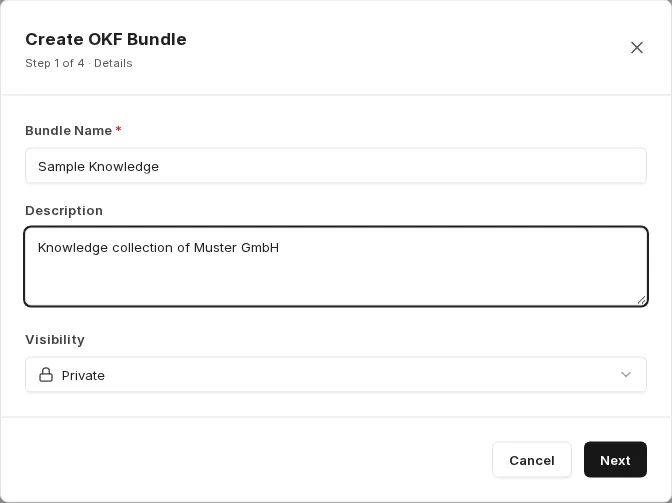
Section titled “Creating a bundle”You start under Collections with Create Collection and choose the collection type OKF Bundle. The Create OKF Bundle wizard opens with four steps.
Step 1 – Details: Bundle Name, optional Description and Visibility.
Step 2 – Source: Choose where the knowledge lives.
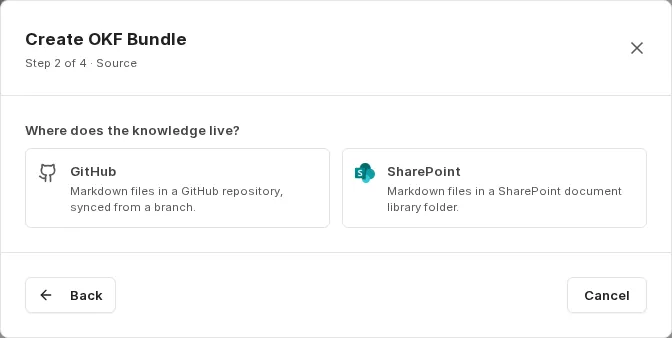
- GitHub: Markdown files in a GitHub repository, synced from a branch.
- SharePoint: Markdown files in a SharePoint document library folder.
Step 3 – Location: For GitHub, specify the Repository in the format owner/name, the Branch and optionally a Path.
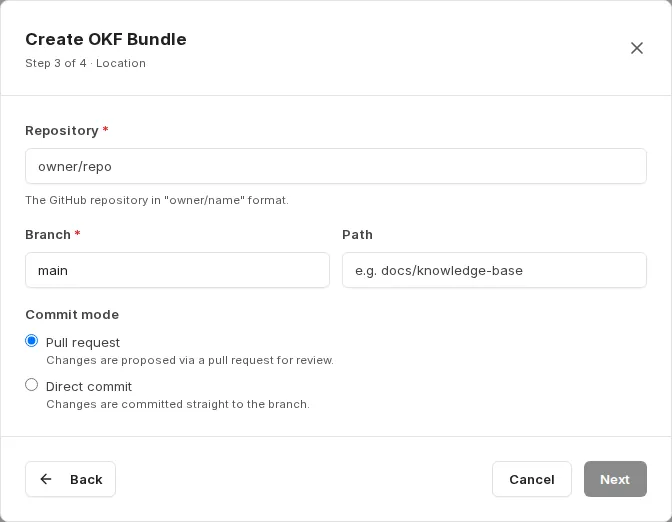
The Commit mode determines how changes are written back:
- Pull request: Changes are proposed via a pull request for review.
- Direct commit: Changes are committed straight to the branch.
For SharePoint, you select the site, library and target folder instead.
Step 4 – Review & Create: You review the summary. If Seed OKF skeleton if empty is enabled (default), companyRAG creates a skeleton with README.md, index.md and log.md at a location without OKF files, so that the bundle isn’t empty. With Create Bundle, a collection is created right away and an initial sync starts.
OKF bundles are automatically created with the Markdown-aware chunking strategy, since their content is structured by headings. See Chunking strategies.
Maintaining bundles
Section titled “Maintaining bundles”In CompanyGPT, an agent can create and update OKF bundles and the Markdown files they contain. Combined with the Pull request commit mode, this results in a reviewable workflow: the agent proposes changes to the knowledge base, and a human approves them.
How such an agent is set up, which tools it needs, and what the workflow looks like from building the format to indexing is described in companyKNOWLEDGE.
A connected GitHub or SharePoint integration is required.